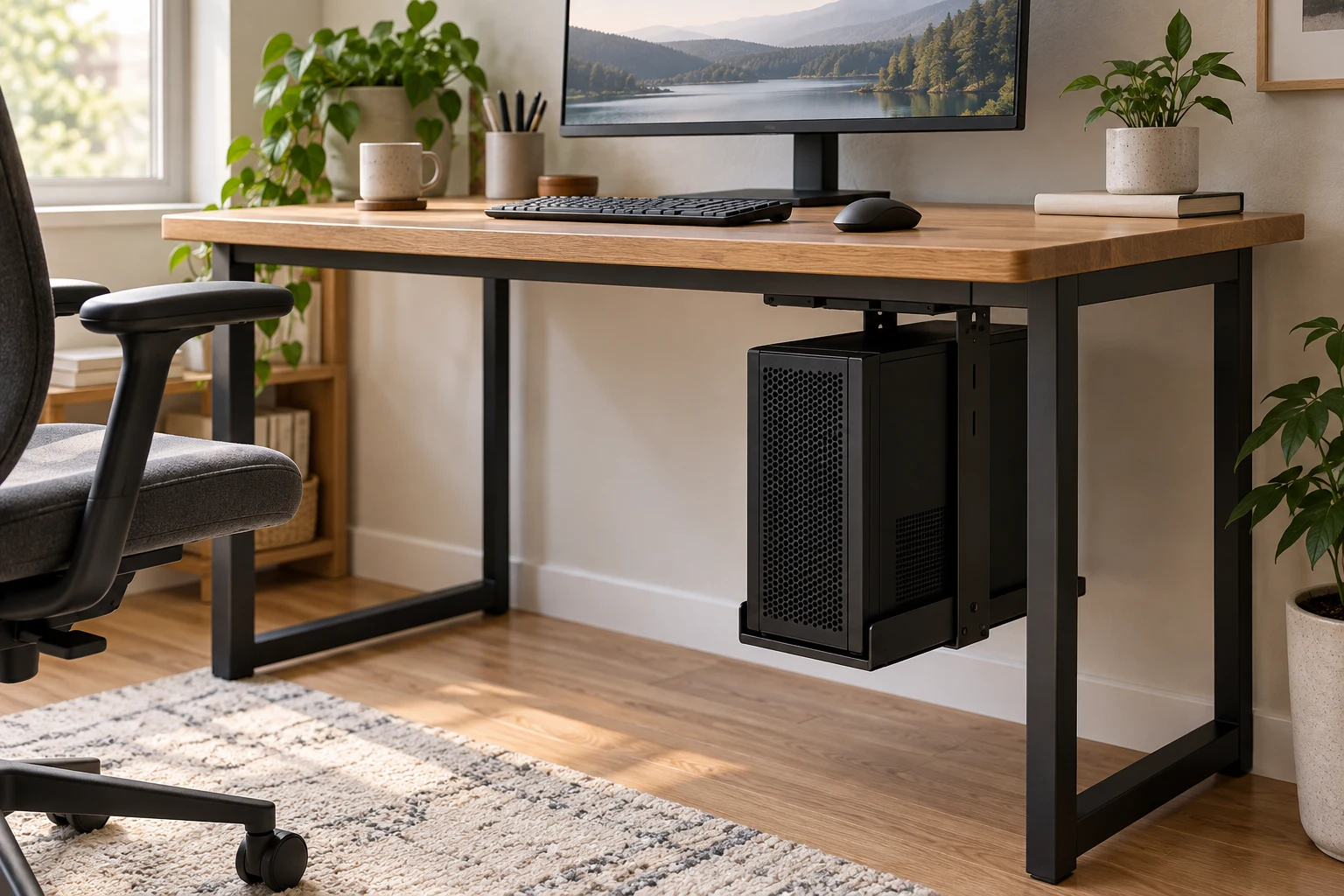
An under desk PC mount for a small desk can free floor and desktop space, but only when the case, desk and mount fit together. Measure the fully loaded computer, the desktop or leg where it will attach, and the space left for knees, cables and ventilation. A mount’s listed width and weight capacity are useful starting points; they do not prove that it fits your desk.
Quick answer
Measure the case and the attachment point first.
Record case width, height, depth and loaded weight. Then measure desktop thickness, underside clearance, leg dimensions and any crossbars or cable trays. Match every number to the exact mount model and its installation guide. Leave room to remove the case, reach ports, keep vents open and move the chair normally.
Start here
Case fit · desk structure · clear space
Choose a mounting style that fits the desk
Small desks often have a modest top, a frame close to the edge, a drawer or tray underneath, or a sit-stand mechanism that occupies the same space as the computer. Start by finding a clear attachment point rather than choosing a holder by appearance.
| Style | Can suit | Check first |
|---|---|---|
| Under-desk plate or track | A clear, solid underside with enough depth for the mount and case. | Desktop material, fasteners, underside rails, drawers, cable trays and space for case removal. |
| Desktop-edge clamp | A desk with a compatible edge and thickness where a clamp can sit. | Desk thickness, clamp footprint, edge shape, top material and clearance below the clamp. |
| Desk-leg clamp | A frame leg with dimensions inside the holder’s range, including some height-adjustable desks. | Leg thickness, crossbars, cable loops, movement path and floor clearance at the lowest desk position. |
| Wall mount or shelf | A desk whose underside is crowded, if the wall and installation method allow it. | Wall construction, anchors, cable reach and whether the computer can be reached safely for service. |
Small-space trade-off: moving the tower under the top may clear a floor corner but can take away knee room or make ports harder to reach. Map the chair, legs, drawer and cable paths before deciding that the saved footprint is useful.
Measure these points before ordering
- Case dimensions: measure the widest, tallest and deepest points, including feet, side handles, protruding cables and any fitted accessories. Do not rely only on the case category such as “mid tower.”
- Loaded weight: use the computer’s actual weight with the components installed. Compare it with the holder’s limit and the desk maker’s instructions for supported loads.
- Attachment surface: measure desk-top or leg thickness where the bracket will sit. Check the shape, edge, frame, support rails and manufacturer rules for drilling or clamping.
- Room around the case: account for bracket depth, handle movement, fasteners, vent openings and enough space to slide the computer out for cleaning or repair.
- Chair and leg clearance: sit at the desk and move the chair through its usual positions. Include footrests, drawers, a keyboard tray and the way your knees move when you turn.
- Cables and ports: leave slack for height changes and a route to power, display and network cables. If the holder swivels or slides, make sure the cables will not snag.
- Airflow: locate the PC’s intake and exhaust panels. Keep those openings away from a desktop, wall, curtain or stored object, and follow the computer maker’s ventilation guidance.
For broader room planning, use our desk design ideas guide to map the workstation around the room before moving the tower.
Read the manufacturer’s dimensions as a fit check
These examples show why model-specific measurements matter. They are not a ranked shortlist: we have not installed or load-tested them. Confirm the live product page and manual for the exact version before buying.
| Manufacturer model | Published fit details | What a small desk owner should measure |
|---|---|---|
| VIVO MOUNT-PCC2L | Desk clamp or wall mount; 0.6–2 in desk thickness; 8.3–13 in case width; 14.6–25.2 in height; 44 lb capacity; 6.9 in product depth. Manufacturer says minimum desktop clearance can be up to 14 in depending on case size. | Confirm the exact desktop edge, space under the top, tower dimensions and path to remove the case. |
| VIVO MOUNT-PCLC1 | Desk-leg clamp; 0.4–3.3 in leg thickness; 7.8–12.8 in case width; 14.6–25.2 in height; 44 lb capacity. | Measure the frame leg and check crossbars, cables, chair movement and full desk travel. |
| Humanscale CPU600 | 3.5–9 in case width; 12–20 in height; up to 50 lb; 16 in slide track and 360-degree rotation. | Allow for the track length and swivel area, then check that the case stays clear of knees and desk hardware. |
These ratings describe each manufacturer’s stated limit, not a load test by DeskSetup Lab. A strong mount still depends on correct installation and a suitable desk. If your measurements are close to a published limit, ask the manufacturer before ordering.
Check the whole setup after installation
Follow the mount maker’s installation manual and the desk maker’s restrictions. Before attaching anything, check whether the desk surface can accept the specified clamp or fasteners. After installation, verify the holder is secure, the case cannot slide into a leg or wall, vents remain open and cables stay relaxed.
For a sit-stand desk, run the computer through the complete height range while watching the cables and every moving part. Check the lowest position for floor contact and the highest position for cable tension. Recheck access to front and rear ports, the path for routine cleaning, and whether a second person is needed to remove the case safely.
Keep the tower’s ventilation and support instructions with the desk setup. If a mount blocks airflow, changes a warranty condition, or makes service difficult, choose another position even if the dimensions fit on paper.
FAQ: choosing a PC mount for a small desk
How do I choose an under-desk PC mount for a small desk?
Measure the PC case, loaded weight, desktop thickness, underside clearance and desk legs. Compare those measurements with the exact mount manual, then check ventilation, access, chair space and the full sit-stand travel if applicable.
Will an under-desk PC mount fit any desk?
No. Mounts have model-specific case ranges, attachment methods and desk-thickness or leg-thickness limits. The desktop material and support structure also need to suit the manufacturer’s installation instructions.
Is a desk-leg clamp better for a standing desk?
A leg clamp may move with a height-adjustable frame, but only if it fits the leg and clears the frame, cables and floor throughout the full range of motion. Follow the mount maker’s requirements.
How much weight can a PC mount hold?
Capacity depends on the exact model and installation. Compare the manufacturer’s limit with the fully loaded case weight, desk construction and mounting hardware. Do not treat a published maximum as a substitute for these checks.
Can mounting a PC under a desk block airflow?
It can if a case intake or exhaust is pressed against a panel, wall, leg or stored item. Keep the case openings clear and follow the PC manufacturer’s ventilation guidance.
Should I use a clamp mount or screw the holder into the desk?
Use only an attachment method permitted by both the mount maker and desk maker. A clamp needs a suitable edge and enough clearance; a screw-mounted plate needs compatible desk construction and correct fasteners.
How this guide was prepared: We compared manufacturer-published product specifications and installation constraints. We did not physically test the listed mounts or desks. The models are examples to illustrate fit checks, not recommendations or endorsements.
This guide has no product affiliate links.
Sources
- VIVO MOUNT-PCC2L product page and specifications
- VIVO MOUNT-PCLC1 product page and specifications
- Humanscale CPU600 product page and specifications
Manufacturer pages checked September 30, 2026. Verify the exact model, specifications and installation manual before purchase.