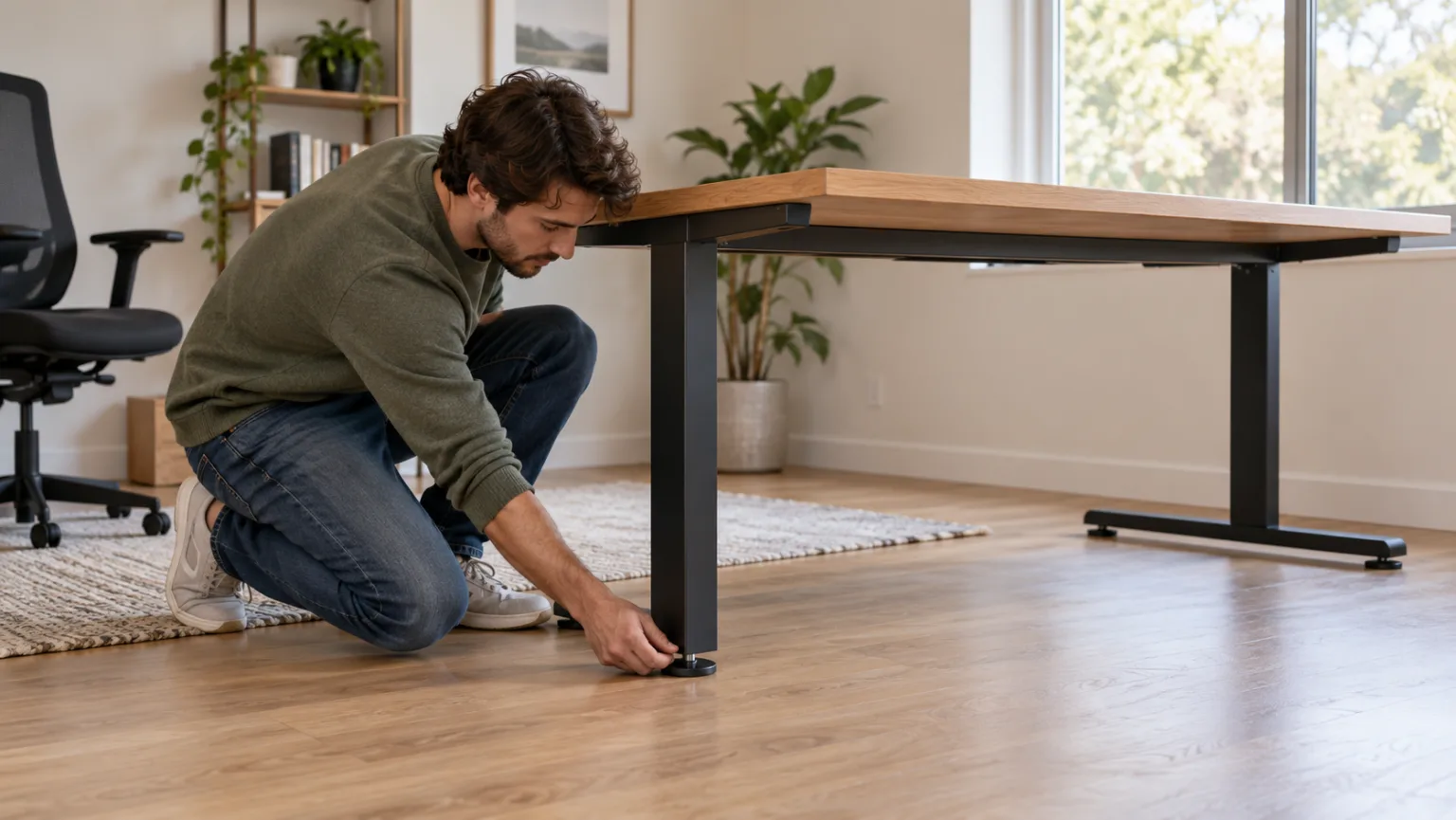
To fix a wobbly desk, first remove the items on it and find out whether the movement comes from the floor, a foot, a loose fastener, or the frame. Correct the simplest cause first. Tighten only hardware identified in the desk manual, and stop if you find a cracked top, bent part, damaged weld, or a problem with an electric desk’s mechanism.
1. Take the load off and identify the direction
Remove monitors, computers, and other equipment before inspecting the desk. Push gently at a corner and notice how it moves. Side-to-side sway can point to a frame or crossbar issue; rocking diagonally can come from an uneven floor or one foot that does not make firm contact. These are clues, not a diagnosis—check each part in turn.
Do not test stability by leaning your body weight on the desk. Keep hands clear of moving joints, and do not move an electric desk while inspecting it.
2. Check the floor and desk feet
Look for a floor transition, thick rug, uneven tile, or soft carpet under one leg. If the desk has adjustable leveling feet, check whether all feet touch the floor. Turn a foot only if the manufacturer designed it to adjust, and make small changes while keeping the desk level. Avoid placing loose cardboard or unstable objects under a leg; they can shift when the desk is loaded.
If the desk stands on carpet, test it on a firm surface if practical. Some carpet compresses unevenly under the legs, which can make a desk feel unstable even when its frame is assembled correctly.
3. Inspect the fasteners and frame
With the desk empty, inspect the visible bolts and connections at the legs, apron, crossbar, and top. Compare them with the assembly manual. If a fastener is visibly loose, use the tool and method specified by the manufacturer; tighten evenly and stop when it is secure. Do not add screws, drill new holes, or force a fastener that does not align. Those changes can damage the top or frame.
Check whether the top is attached evenly and whether a brace or crossbar is missing. Look for cracks in the desktop, split screw holes, bent tubing, or movement at a weld. A damaged structural part needs a manufacturer-approved repair or replacement rather than extra tightening.
4. Treat an electric standing desk carefully
If an electric desk wobbles only at certain heights, lower it with the tabletop clear, then inspect the legs and frame according to the manual. Unplug it before any inspection that requires access near the power system or moving components. Keep cables clear of the legs and do not open the control box or attempt to repair wiring.
If the wobble changes with height, note the height and compare it with the manufacturer’s guidance. UPLIFT’s model-specific troubleshooting page says that movement can become more noticeable as the desk rises and points to loose foot-to-leg bolts as one possible cause on its frames. Other models use different hardware, so use the instructions for your desk. If it suddenly shifts, makes a grinding sound, or one leg moves differently from the other, stop operating it and contact the manufacturer. A reset may address a control error, but it will not repair a loose or damaged frame; see the separate guide to resetting a standing desk for control issues.
5. Retest before putting equipment back
After the approved adjustment, place the desk on its intended surface and gently test the same corners again. Add equipment back gradually and keep heavy items centered. Route cables so they do not pull on the desk or catch on a leg. If a wobble remains, note when it occurs and share that information with the manufacturer.
For a quieter work area, our guide to a quiet desk setup covers common sources of vibration and noise. A stable desk is also easier to organize safely; see how to set up a home office.
Frequently asked questions
Why does my desk wobble when I type?
Typing can reveal movement that is hard to notice when the desk is empty. Check the floor and feet first, then look for a loose connection or frame issue. Do not assume the desktop itself needs extra screws.
Can I fix a desk that rocks on carpet?
Check that all feet contact the floor and that the carpet is not compressing unevenly. Use built-in leveling feet if the model has them. Avoid loose shims that can slide or collapse.
Is it normal for a standing desk to move when raised?
Some models may move more at full height, but acceptable movement varies by design. Compare it with the manufacturer’s instructions and stop using the desk if the motion is sudden, uneven, or accompanied by unusual noise.
Should I tighten every bolt as much as possible?
No. Follow the assembly manual and use the specified tool. Excessive force can strip threads, damage the desktop, or make a repair harder.
Source
- UPLIFT Desk: Troubleshooting and wobble/stability improvements — an example of model-specific guidance on frame fasteners and movement at different heights. Apply the instructions for your own desk model.