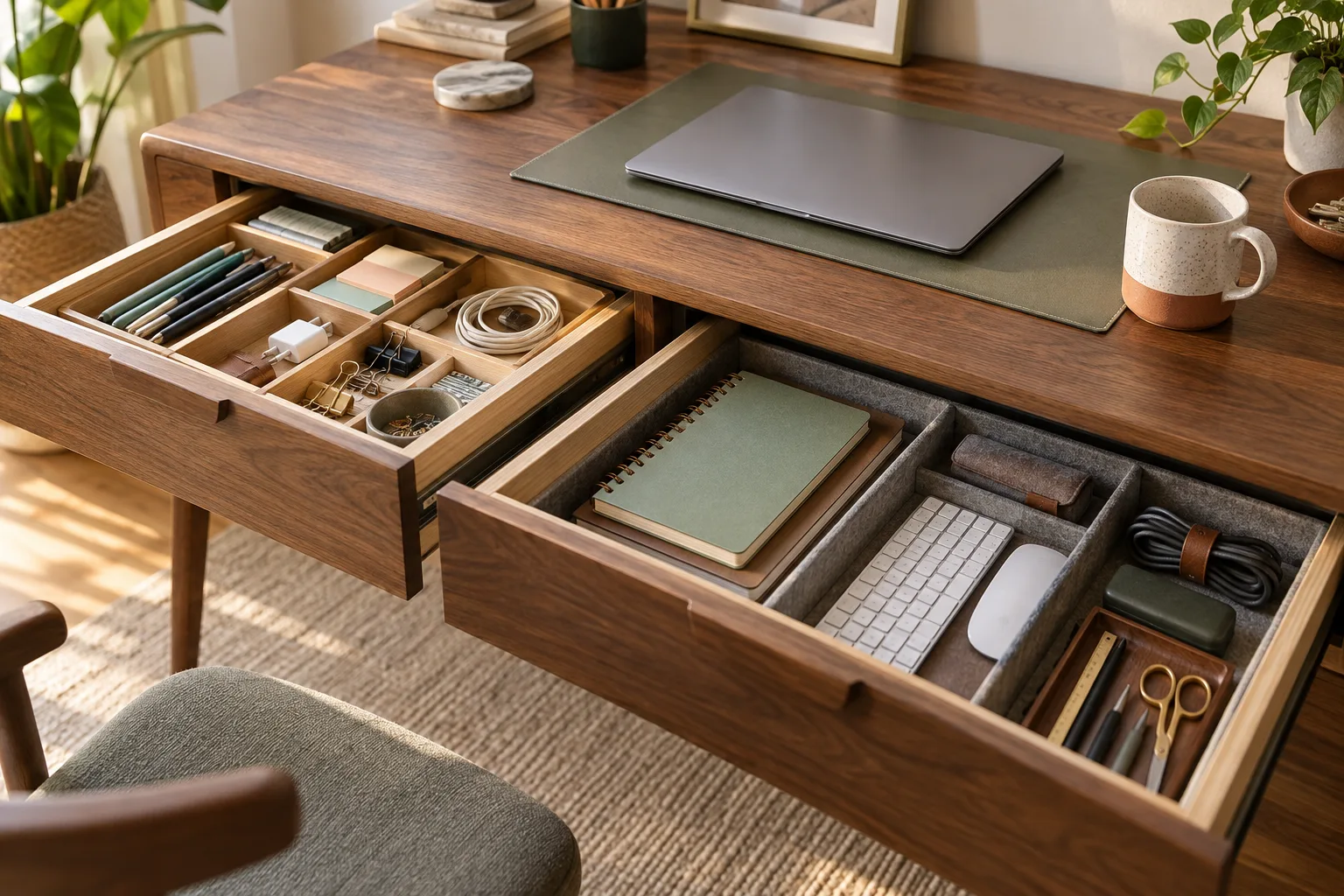
To organize desk drawers, empty one drawer at a time, group items by how and how often you use them, then create a few clear zones with dividers or small containers. Keep daily tools in the shallowest, easiest-to-reach area; store backups farther back; and leave some spare room. This makes an organized desk easier to maintain because putting something away takes one simple decision.
1. How to organize desk drawers in the right order
Start with one drawer, not the whole desk. Remove everything onto a clean surface, wipe the inside and check how far the drawer opens. This small inspection matters: a drawer that catches on a frame, cable or chair is difficult to use no matter how attractive the dividers look.
Sort the contents into four groups: daily, weekly, occasional and elsewhere. Daily items are used from the chair almost every workday. Weekly items support a recurring task but do not need prime space. Occasional items are backups or supplies for a less common job. Elsewhere items belong in a tool box, travel bag, filing area or another room.
Resist the temptation to create a large miscellaneous pile. If an object has no clear relationship to the desk, that is useful information. A drawer should make a routine easier, not become a place where decisions wait indefinitely.
2. Give each drawer a job
An organized desk rarely comes from treating every drawer as a random bin. Give each drawer a broad purpose, then let the smaller zones inside it support that purpose. The exact arrangement depends on the desk and your dominant hand, but this map is a useful starting point.
| Drawer or zone | Good fit | Keep out |
|---|---|---|
| Top drawer | Daily writing tools, notes and small essentials | Bulky backups and rarely used cables |
| Middle drawer | Task supplies, adapters and small tools | Loose items with no shared purpose |
| Deep or lower drawer | Backup stationery, spare tech and reference items | Things needed several times each hour |
| Shared drawer | Items used by more than one person or routine | Personal objects that need a different home |
Think in terms of reach rather than status. The top drawer is not automatically the place for the most important things; it is the place for the items that should be available without interrupting your work. When you organize desk items by frequency, the layout starts to explain itself.
3. Build zones with dividers and small containers
Measure the inside width, depth and height of the drawer before choosing an insert. Dividers that are too tall can make a shallow drawer difficult to close, while containers that leave no clearance turn a useful space into a tight puzzle. Removable pieces are usually more flexible than a fixed grid when your work changes.
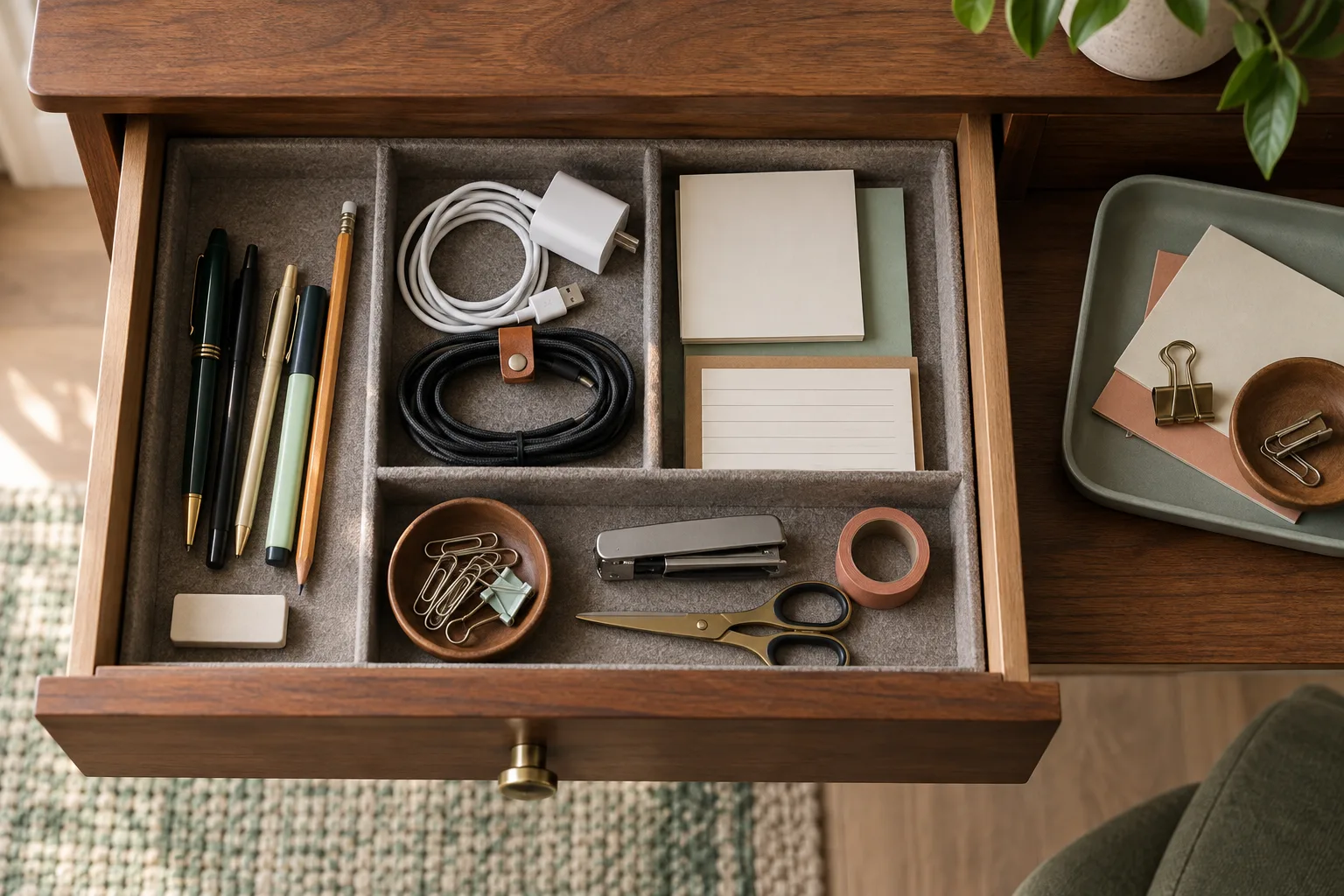
Use two to four broad zones before adding smaller compartments. A writing zone might hold pens, a pencil and a highlighter. A tech zone might hold adapters, a card reader and a short charging lead. A repair zone might hold clips, tape or a small screwdriver. Keep the categories based on a task or routine, not on an abstract inventory of every object you own.
Choose the container by the shape of the clutter
Shallow open trays suit flat items and tools you scan quickly. Narrow boxes keep pens and markers from rolling. Low-sided bins work for small pieces that need to be lifted out as a group. If you use a lidded box, reserve it for backups or items that do not need daily access; opening a lid for every pen defeats the point of a drawer.
Most desk organization ideas become harder to maintain when every object gets a separate miniature compartment. Start with generous zones and add a divider only after you see a repeated problem. A good zone makes the next return obvious without requiring a label on every item.
4. How to organize deep desk drawers
Deep drawers are useful, but a single layer of small objects can disappear at the back. The simplest fix is a front-to-back system: put the items you reach for most in front, active project supplies in the middle and backups or seasonal tools at the back. This lets the drawer hold more without asking you to empty it every time you need something.
Use low-sided, open containers so you can lift a group out without digging through it. Keep labels or a visible category marker facing the front edge. If the drawer is tall enough for paper, use upright folders or narrow file holders rather than laying documents in several heavy piles. Store only one layer of daily tools; stacking hides the item underneath and turns a tidy arrangement into a search.
Pay attention to movement as well as capacity. Do not force a drawer closed around a tall container, let a bin block the runners or fill it beyond the drawer’s own load guidance. The most efficient deep drawer is one that opens smoothly and lets you see the zones from above.
5. How to organize a desk without drawers
If your desk has no built-in storage, copy the three useful functions of a drawer: contain small items, keep backups out of the main work zone and give daily tools a predictable return point. A shallow tray can become the daily zone. A vertical file holder or shelf can take paper off the desktop. A lidded box below the work surface can hold spare supplies without competing with the keyboard.
The question “how to organize desk without drawers” has the same answer: replace the missing drawer with a small number of defined zones, not with more objects spread across the surface. Keep one landing area for the things you use today and one reserve area for items used less often. The desk organizer guide can help you compare desktop, under-desk and cable-focused formats before you choose a container.
How to organize a small desk without drawers
On a small desk, protect the centre first. Choose one shallow tray for daily tools, move paper into a vertical holder and use the wall, a shelf or the space below the desktop for backups. Avoid creating a second pile on top of the first. A simple one-in, one-out rule helps: when a new everyday item arrives, decide which existing item can move to reserve storage or leave the desk.
If you are considering drawers for desk storage, measure knee clearance, the mounting surface and the full opening path before buying anything. A mounted unit can add useful capacity, but the words under desk do not guarantee a comfortable fit. See the under-desk drawer guide for the practical differences between pull-out, adhesive and freestanding formats.
6. Keep cables and backups from undoing the system
Technology creates a special kind of drawer clutter because cables look similar until you need one. Give current cables a small, separate zone and coil each lead loosely rather than compressing it into a knot. A short label at the connector or a simple destination note can save more time than a complicated sorting scheme.
Keep the charger or cable you use every day at the point of use if that is easier than putting it away. Reserve the drawer for spare leads, adapters and less frequent accessories. For a broader approach to keeping power accessible without spreading across the surface, continue with the five-minute cable reset.
7. Make the reset easy enough to repeat
Storage stays organized when the return path is shorter than the temporary drop zone. After a task, put the pen back in the writing zone, return the adapter to the tech zone and move unrelated items out of the drawer immediately. If an item repeatedly lands in the wrong place, change the zone instead of blaming yourself for using the system.
Once a week or whenever the drawer starts to feel crowded, do a short reset. Remove anything that belongs elsewhere, combine duplicate supplies and check that the front zone still contains the tools you actually use. Leave some empty space so a new note, adapter or small tool has somewhere to go. The goal is not a perfect drawer; it is a desk that can return to useful order without a long cleanup.
QUESTION
Need the practical version before you start? Use these answers as a quick checklist.
Daily items go in the shallowest front zone; backups go behind them; anything you never use at the desk does not belong in that drawer.
What should I do before buying dividers? Empty one drawer, wipe it, and sort the contents by frequency first. The sort tells you whether you need a divider, a tray or no new container at all.
Where should daily items go? Use the shallowest front zone and keep it low enough to scan without lifting other objects. Backups and occasional tools can move behind or below that working area.
What can replace a drawer on a small desk? Use one shallow tray for daily tools, one vertical or below-desk zone for reserves and a clear centre for the current task. The replacement should be easy to return items to, not simply another surface to fill.
FAQ: organizing desk drawers
What should go in the top desk drawer?
Put the tools you use from your chair every day in the top desk drawer: a few pens, a pencil, sticky notes, a small ruler or the one tool you reach for most. Keep backups, tangled cables and items used only occasionally in another zone so the front drawer stays easy to scan.
Are drawer dividers better than small boxes?
Dividers work well for long or flat tools that need to stay visible, while small boxes are better for loose pieces such as clips, adapters or spare fasteners. A combination is often most useful: use dividers to create broad zones and open containers to keep small groups together.
How do you stop desk drawers from getting messy again?
Give every group a defined home, return items to that home after a task and leave some spare room instead of filling every corner. When a drawer starts collecting unrelated objects, take a few minutes to move them back to the correct zone or out of the desk.
This is an informational guide focused on organizing the storage you already have. It includes no affiliate or product links.