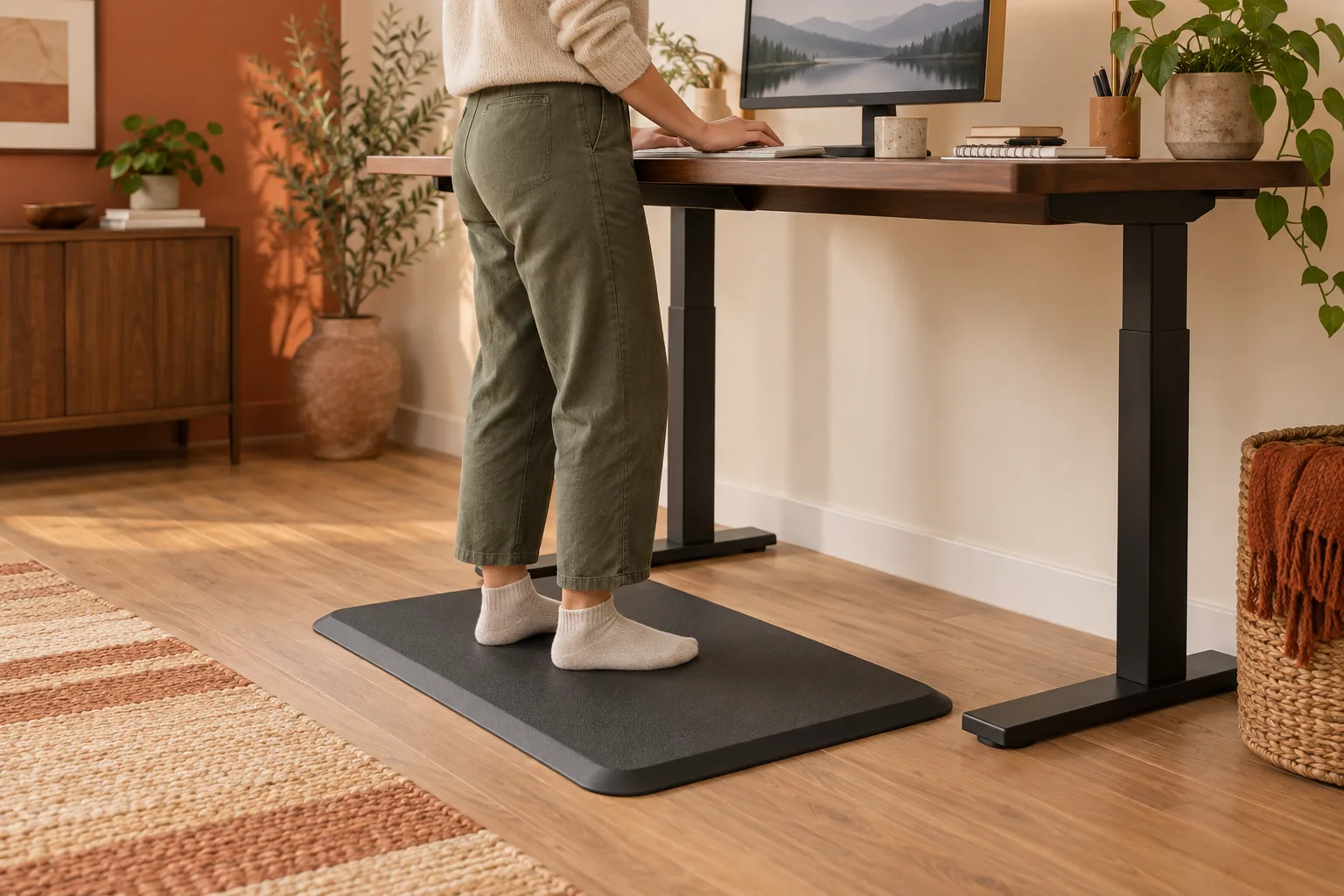
The best anti-fatigue mat for a standing desk is large and stable enough for your normal stance, has an edge you can see and clear, and fits the desk, chair and floor without curling or sliding. Compare the surface, thickness, bevel, cleaning limits and return fit instead of assuming a thicker or softer mat will suit every workspace.
Quick answer
Choose the mat that fits the whole floor zone.
The best anti-fatigue mat for a standing desk is large and stable enough for your normal stance, has an edge you can see and clear, and fits the desk, chair and floor without curling or sliding. Compare the surface, thickness, bevel, cleaning limits and return fit instead of assuming a thicker or softer mat will suit every workspace.
Start with
fit · stability · daily use
Start with how you actually stand
A standing mat is not a substitute for changing position. Think about the work you do while standing: typing, reading, calls, sketching or moving between a desk and a shelf. Your feet may land in one small zone or shift across a wider arc. The best standing desk mat is the one that supports that routine without making the desk harder to approach.
Mark the area with painter’s tape for a day if you can. Stand with the shoes or socks you normally wear, move the keyboard and mouse, and notice where the chair needs to go when you sit. This simple mock-up catches a common mistake: buying a mat that is comfortable in front of an empty desk but too small once the chair, drawers and desk legs return.
Softness, thickness and “anti-fatigue” wording cannot predict your personal fit. Check the floor zone, edge, stability and the breaks you will actually take.
Measure the standing and sitting footprint
Measure the space beneath the desktop from the front edge to the wall, legs or cabinet behind you. Add the desk width, the path of a chair and the place where your feet land when you turn toward another task. A mat that reaches under the chair can be useful in a sit-stand routine, but it can also catch casters or make a low chair harder to roll.
| Desk routine | Useful starting footprint | Check before buying |
|---|---|---|
| One fixed standing position | Enough width for both feet and small weight shifts. | Front edge visibility and a clean transition to the floor. |
| Keyboard plus notebook or calls | More depth so you can step back without leaving the mat. | Chair, drawers and the distance to the desk edge. |
| Sit-stand rotation | Enough area for standing plus the chair’s approach. | Casters, mat thickness and whether the chair can cross the edge. |
| Corner or L-shaped desk | Shape that follows the actual standing arc. | Wall, cabinet and desk-leg corners that can catch the edge. |
Do not assume a very large mat is always safer. A wide mat can become a new boundary to step over, and a heavy mat can be awkward to move for cleaning. Match the footprint to the movement you want, then keep a clear path around it.
Compare surface, core and edge construction
Surface feel and grip
Look for a surface that stays predictable under the shoes you use and does not become slippery when dust or a small spill arrives. A textured top may add grip but can be harder to wipe. A smooth surface can be easy to clean but needs a stable underside and a clear edge.
Thickness and resilience
Thickness changes floor transition, desk clearance and how the mat behaves under a chair. “Thicker” is not automatically more supportive for every person or desk. Check how the maker describes the material, compression, intended use and cleaning method. Avoid a mat that remains permanently dented or curls after ordinary use.
Beveled edge and underside
A visible, gradual edge can make the transition easier to notice, but it still needs to lie flat. Inspect the underside for grip and compatibility with your floor finish. Do not place a rubber-like mat on a delicate surface without checking the maker’s guidance, and lift it periodically to clean trapped grit or moisture.
Materials and finishes vary, so do not make health or durability promises from a product photograph. Read the current instructions, especially when you have wood, carpet, radiant heat or a floor that reacts to rubber or plastic.
Check the desk, chair and cables together
Raise and lower the desk through the positions you use. Confirm that the mat does not catch a desk foot, collide with a crossbar or block a drawer. If you use a chair, approach the desk slowly and test whether the casters roll over the edge without pushing the mat or creating a sudden bump.
Leave enough room for the mat to lie flat if the desk moves. A sit-stand frame can shift its feet forward or backward as the columns travel. A cable that is safe at sitting height can become taut at standing height, and a mat can hide a cable route that was easy to see before.
Use the mat as one part of a rhythm: stand for a task, sit for another, walk or reset between blocks, and change footwear or surface only when the setup stays stable. This is a workspace guide, not medical advice; persistent pain, numbness or another health concern belongs with a qualified professional rather than a product label.
The anti-fatigue mat checklist
Record these details before you compare the word “best”:
- What is the standing zone, and where does the chair or drawer need to pass?
- Can you see and clear the front edge without stepping over it at the end of a task?
- Does the mat stay flat on your floor and remain stable during a normal weight shift?
- Will the thickness clear the desk frame, chair casters and any moving crossbar?
- How will you wipe it, lift it and dry it after dust, food or a spill?
- What are the return and care conditions if the surface, smell or firmness does not suit the room?
For a small desk, a modest mat with a clear bevel may be easier to live with than a large one that crowds the chair. For a wide sit-stand worktop, more depth can make standing tasks easier, but only if the mat does not block the chair route. The honest answer to “what is the best anti fatigue mat for standing desk?” is the mat that fits your floor, movement and maintenance routine.
Reference points
- How to set up a home office — plan the desk as a complete movement zone.
- How to clean a desk mat — maintenance starts with the material and backing.
- DeskSetup Lab method — compare a desk object by fit and daily use.
Standing desk mat FAQ
What is the best anti-fatigue mat for a standing desk?
Choose the size, edge, surface and firmness that fit your floor, standing zone, chair route and cleaning routine. There is no universal winner, and a thicker mat is not automatically the best match.
How thick should a standing desk mat be?
Use the manufacturer’s dimensions and compare them with your desk frame, chair and floor transition. Thickness affects firmness, clearance and the edge you step across, so judge the complete setup instead of picking the largest number.
Should a standing desk mat go under the chair?
It can, if the mat is designed for the chair route and remains flat under the casters. Test the transition slowly; a mat that shifts or catches the chair is a poor fit even when the standing surface feels good.
Can a standing desk mat replace sitting breaks?
No. A mat changes the floor surface, not the need to vary position and take breaks. Use a sit-stand routine that fits your work, and seek professional advice for persistent pain or other health concerns.
How do I clean an anti-fatigue desk mat?
Follow the material and backing instructions. Usually the safe starting point is removing loose grit, wiping with a compatible cloth or mild cleaner if permitted, and drying the mat flat before returning it to the desk.