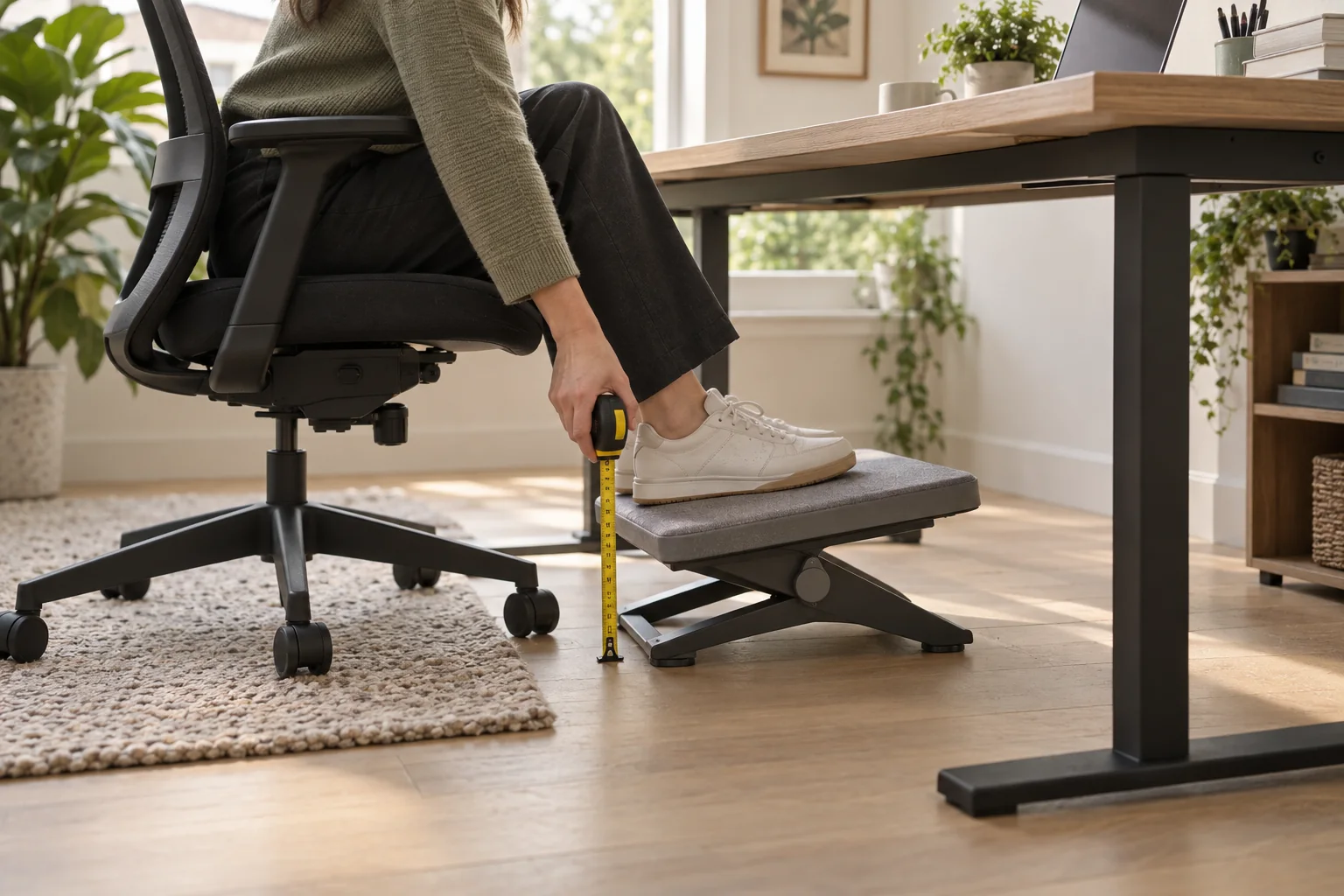
A useful adjustable under-desk footrest is one that fits the chair, floor and free space below the desk at the same time. Measure those three things before you compare height settings, tilting platforms or extra features. This guide covers fit criteria; it does not rank or claim to test current products.
Start with the complete seated setup. Adjust your chair to a comfortable working height, keep the desk and keyboard where you use them, then notice whether both feet rest easily. If your feet already sit comfortably on the floor and can move without crowding the desk, a footrest may not add much. If the chair height you need leaves your feet unsupported, a stable platform can provide a surface to rest them on.
Choose the smallest adjustment range and platform that solve your measured fit problem.
Measure the height you need
Set the chair for the desk first. Then measure the vertical gap between the floor and the underside of your relaxed feet. Keep your shoes on if you normally work in them, and make a second check barefoot only if that is part of your usual routine. Treat the number as a starting estimate: your feet need room to rest and shift, not a platform that pins them into one angle.
Next, consider how a footrest's height and angle change together. Some platforms use fixed steps; others tilt or rock. Compare the minimum and maximum height with your measured gap, and check whether an angle adjustment raises the front edge enough to meet your toes or knees. If the lowest setting is already too tall, a larger adjustment range will not make the platform fit.
OSHA's computer-workstation guidance recommends a footrest when a chair cannot be lowered enough for the feet to rest on the floor, with support for the entire foot and room to move. The practical takeaway is to check full-foot contact and freedom to shift, not to chase a universal measurement. OSHA workstation guidance.
Check platform size and foot contact
Look at the usable top surface rather than the product's outside dimensions alone. Place both feet in your usual position and leave enough room to change their spacing. A very narrow or short platform may support only the toes or heel; an oversized one may occupy the chair's path or turn into an obstacle under a compact desk.
Think about the kind of surface you want. A broad, flat platform can suit feet that rest side by side. A grooved or textured top may help the feet stay oriented, while a smaller raised edge can create a defined contact point. Those details should not prevent the foot from moving or make cleaning awkward. Avoid relying on an advertised texture or massage pattern to prove that a platform will suit you.
Compare the adjustment styles
“Adjustable” can describe several different movements, so identify which one you need:
- Height steps: useful when one clear change in platform height is enough. Check how the step locks and whether you can change it without turning the platform over.
- Tilting angle: can change how the sole rests, but the platform should stay controlled and not tip unexpectedly under normal pressure.
- Rocking movement: allows gentle movement of the feet. Check that it has a predictable travel range and that it does not slide across your floor.
- Fixed height with a movable surface: may solve an angle preference without changing the overall height range.
More adjustment is not automatically better. If changing the angle lifts the platform too high, takes up floor space or makes it harder to keep a steady foot position, a simpler format may fit better.
Measure desk and chair clearance
Before choosing a footprint, check the full path from the edge of the desk to the chair base. Measure the clear height under any drawer, apron or crossbar, and the width between desk legs. Then pull the chair in and out with the footrest in place. The platform should not trap a caster, block the chair's usual movement or force the knees into an awkward position.
Check the largest setting, not just the folded or lowest position. A platform that tilts may rise at its front edge; a rocking style may travel toward the chair. If the desk is shared, make a separate check for the person who will use the setup most often rather than assuming one setting suits everyone.
Look at stability and floor type
A good fit starts with a base that stays where you place it. Consider whether the underside has non-slip contact points and whether they suit your actual floor: smooth wood, tile, low-pile carpet and a thick rug behave differently. A soft surface may let a small base sink or rock; a smooth floor may let a light platform creep forward. A quick check on the exact floor is more useful than guessing from a product photo.
Inspect how the height or angle locks. The platform should not collapse, shift a step or make a sharp snap when ordinary pressure changes. If the mechanism requires you to lift heavy parts or use tools for every adjustment, that may be inconvenient for a desk shared between people. Confirm any stated load limit from the maker's own documentation and leave room for normal movement.
Use a short fit checklist before ordering
- Set the chair and desk to the position you actually use.
- Measure the floor-to-foot gap with your usual footwear.
- Measure the clear height, width and depth below the desk.
- Compare those dimensions with the platform's full range of settings.
- Check the usable surface for both feet and a small amount of movement.
- Confirm the base suits your floor and the adjustment can lock securely.
- Read the return window and test the fit on your own floor as soon as it arrives.
On the first day, try the footrest with your usual chair, desk and shoes. Confirm that both feet can rest fully, that the chair can still move and that your knees are not being pushed upward. If the fit depends on holding an uncomfortable position or constantly repositioning the platform, pause and reassess the measurements instead of forcing the setup.
Check care and return details
Dust, hair and crumbs collect below a desk, so check whether the platform can be wiped and whether the surface traps debris. Look for the maker's cleaning instructions; avoid assuming that a fabric pad can be washed or that a textured part is removable. Before purchase, review the return period, condition requirements and who pays return shipping. Keep the packaging until you have checked the actual height, width, stability and chair clearance.
If your question is whether adding a footrest could help at all, read our separate guide to when an under-desk footrest may be useful. For the whole workstation, start with measuring a home-office setup. An OSHA computer-workstation checklist also describes a footrest as a way to support the whole foot while leaving room for movement.
Reference points
- OSHA Computer Workstations: Chairs — workstation guidance on foot support and movement.
- OSHA Computer Workstations: Workstation Evaluation — full-foot support and room to move.
- How to set up a home office — measure the complete working position.
- How to choose an anti-fatigue mat — compare the floor surface and desk clearance.
- DeskSetup Lab method — compare fit, construction and daily use.
Adjustable footrest FAQ
How do I choose an adjustable under-desk footrest?
Start with the seated height and desk clearance you need, then check that the platform supports both feet, stays stable on your floor and adjusts within that measured range.
How high should a desk footrest be?
There is no single height for every desk. Set the chair for the work surface first, then choose the lowest footrest position that lets your feet rest fully without lifting or crowding your knees.
Is a tilting or rocking footrest better?
Neither type is best for everyone. A fixed platform emphasizes stable support; a tilting or rocking platform permits movement. Choose by the movement you actually want and check that it remains controlled under your feet.
Will a footrest fit under my desk?
Measure the clear space below the desk, including the chair base, drawers, crossbar and your normal leg movement. Compare those measurements with the full platform footprint and its travel through each adjustment position.
Do I need a footrest if my feet reach the floor?
Not automatically. If both feet rest comfortably and you can move freely, a footrest may add little. It can still be useful in some setups, but test the whole desk and chair relationship before buying.
Start with your measurements, then choose a platform that supports a relaxed position and fits the space you have.