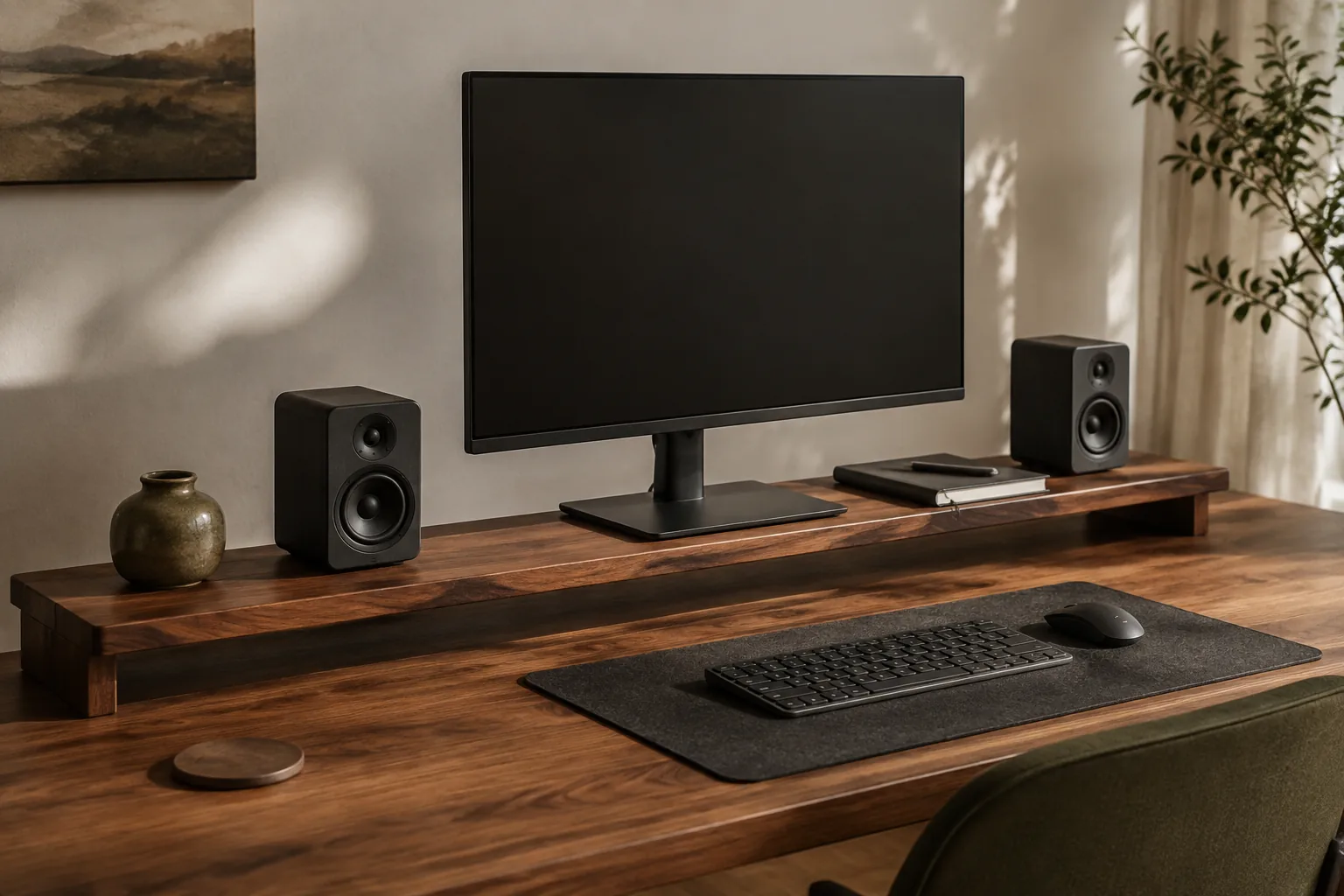
A desk shelf gives your desk a second level. It raises the monitor, makes room to slide the keyboard underneath, and gives small things a place other than the work surface. The right one depends on what that second level has to carry: just a monitor on a small desk, a monitor plus speakers, or a monitor plus small items you want out of sight.
Quick answer
Choose the shelf that fits your monitor and leaves room to work.
The three picks below cover those jobs. The guide after them covers what to measure so the shelf fits your monitor, your keyboard and your desk.
Our starting point
A stable surface · usable clearance · honest fit
Quick picks
- Best for small desks: compact desktop monitor riser. 4.9/5 from 96 reviews and 1,000+ sales on the listing.
- Best for a monitor and speakers: YTYIN solid-wood speaker and monitor riser.
- Best with storage: KM51/KM52 foldable monitor riser with drawer and tablet holder. 4.9/5 from 125 reviews and 900+ sales on the listing.
Price bands compare the three listings with each other. Check the current price and variant on each listing.
Desk shelves compared
| Pick | Best for | Material | Storage | Price band | Listing signal | Load limit |
|---|---|---|---|---|---|---|
| Compact desktop monitor riser | Small desks, one monitor | Check listing | Keyboard space underneath | Budget | 4.9/5, 96 reviews, 1,000+ sales | Not listed |
| YTYIN solid-wood speaker and monitor riser | Monitor plus speakers | Solid wood (listing) | Storage shelf | Premium | 4.7/5 and 193 sales (seller page) | Not listed |
| KM51/KM52 foldable riser with drawer | Small-item storage | Check listing | Drawer, tablet/phone holder | Mid-range | 4.9/5, 125 reviews, 900+ sales | Not listed |
None of the three listings shows a load limit or full shelf dimensions, so measure your equipment and check the variant before ordering. Review figures are from the listings as they appeared when this page was updated.
The three desk shelves worth comparing
1. Compact desktop monitor riser: best for small desks
The listing says this compact riser raises a monitor and leaves room for a keyboard underneath, and it gives a 10–20 in application range. It has the strongest buyer signal of the three, with 4.9/5 from 96 reviews and more than 1,000 sales.
On a small desk, a compact riser is often all you need. It lifts the screen and lets you push the keyboard under it when you need room to write.
Good fit for: small desks, laptop-plus-monitor setups and a single screen up to the stated range.
What to check:
- The shelf’s width and depth against your monitor’s base. The listing doesn’t show dimensions.
- The clearance underneath against your keyboard’s tallest point.
- That “10–20 in” covers your monitor. It describes screen size, not shelf width.
Compact desktop monitor riser: budget in this shortlist. Check the current price and dimensions.
2. YTYIN solid-wood speaker and monitor riser: best for a monitor and speakers
The listing describes a solid-wood desktop speaker stand and monitor riser with metal isolation pads and a storage shelf, with YTYIN as the brand. The seller page shows 4.7/5 and 193 sales; a product-level review count isn’t shown.
It’s the most furniture-like choice here. It’s a good fit when the monitor and a pair of compact speakers should share one level, and when you want the second level to look like part of the desk.
Good fit for: desks with bookshelf speakers, and home offices where the finish matters.
What to check:
- The total width: both speaker footprints, the monitor base and a margin on each side.
- The depth against the deepest of the three bases.
- How the isolation pads sit, and whether they suit your speakers.
YTYIN solid-wood speaker and monitor riser: premium in this shortlist. Check the current price and size.
3. KM51/KM52 foldable monitor riser with drawer: best with storage
The listing names a foldable riser with adjustable length, a drawer and a tablet or phone holder; the visible model is KM51/KM52. It shows 4.9/5 from 125 reviews and more than 900 sales. The seller name differs in places on the page, so confirm who you’re buying from.
The drawer takes pens, cards and adapters off the desk, and the holder keeps a phone or tablet upright beside the screen. Adjustable length helps it fit desks of different widths.
Good fit for: desks where small items keep drifting to the middle, and anyone who uses a phone or tablet beside the monitor.
What to check:
- The variant (KM51 or KM52) and its length range.
- That the drawer doesn’t sit where your keyboard needs to slide under.
- The support for your monitor. No official load limit is shown.
KM51/KM52 foldable monitor riser with drawer: mid-range in this shortlist. Check the current price and variant.
How to choose a desk shelf
Measure the monitor base, not the screen size
Two 27-inch monitors can have very different stands. Measure the base’s width and depth, then add a margin so the base sits fully on the shelf rather than overhanging the edge. Then add anything else that will share the top: speakers, a lamp, a dock.
Check the height you need
A shelf only helps if it brings the screen to the right height. As a general guide, the top of the screen should sit at or slightly below eye level when you sit up straight. Before ordering:
- Sit normally and look straight ahead at the screen.
- Measure how far the top edge of the screen is below your eye level.
- Compare that with the shelf height. If the screen is already at eye level, a shelf will make it too high. Choose a shelf for storage instead, or skip it.
If you need adjustable height or the screen still ends up too low, a monitor arm or an adjustable monitor stand may suit you better.
Check the keyboard clearance
The space underneath is part of the product. Measure your keyboard at its tallest point, including the wrist rest if you use one, and compare it with the clearance under the shelf. Check where the mouse and notebook go when the keyboard is pushed under.
Treat load as a real constraint
The shelf has to carry the monitor, its stand and anything else on top without wobbling. None of these three listings states a load limit. Ask the seller before putting a heavy ultrawide or two monitors on one shelf, and leave margin. A long, unsupported span is more likely to sag than a short one. If the desk itself wobbles, a shelf will make the screen wobble more, so see how to fix a wobbly desk first.
Choose the material for the job
Solid wood suits a heavier monitor and a long-term, furniture-like setup. MDF or a wood-look board can work well when the span is supported and kept within its load. Read the material line for the variant you select; “wood look” is not the same as solid wood.
Plan the cable route
Decide where the monitor cable, charging leads and speaker cables will leave the setup before the shelf arrives. A gap at the back keeps the desk clean, but it shouldn’t force cables into a sharp bend. Our desk cable management guide covers routing.
| Shelf type | Useful when | Verify first | Main compromise |
|---|---|---|---|
| Compact single-screen riser | A small desk needs height and keyboard room | Footprint, height, clearance | Little room for speakers |
| Solid-wood platform | You want a furniture-like second level | Span, depth, finish | Heavier; usually fixed height |
| Riser with drawer | Small items need a home | Drawer position, clearance under | Storage can cut keyboard space |
| Speaker-friendly shelf | Monitor and speakers share one level | Total width and depth | Needs more desk area |
Desk shelf ideas by setup
- A small desk with one monitor: the compact riser. Measure the wall-to-edge depth as carefully as the shelf.
- A clean home office: the solid-wood riser, with one clear landing spot on top instead of filling every inch.
- A monitor and two speakers: measure all three footprints together before you order.
- An all-in-one computer like an iMac: measure the depth of the computer’s foot and check the shelf’s clearance before ordering. A riser only helps if the screen is currently below eye level.
- Small items keep spreading across the desk: the riser with a drawer, or pair a plain shelf with a desk organizer.
- A laptop instead of a monitor: a laptop stand is usually a better fit than a shelf.
Desk shelf mistakes worth avoiding
- Buying by screen size alone. Measure the monitor base and the shelf depth.
- Raising a screen that’s already at eye level. Higher isn’t better if it tips your head back.
- Ignoring the keyboard zone. If the keyboard can’t slide under, the shelf adds height without adding space.
- Assuming solid wood solves stability. The span, legs, joints and actual load matter just as much.
- Putting speakers on an unmeasured top. A product photo is not a dimension drawing.
Related desk setup guides
FAQ: choosing the best desk shelf
What is the best desk shelf for most home offices?
A shelf that fits the monitor base, leaves useful room for the keyboard underneath and is deep enough for what you’ll put on top. On a small desk, a compact riser is often enough. Add a drawer or speaker space only if it solves a real problem.
How high should a monitor shelf be?
High enough that the top of the screen sits at or slightly below eye level when you sit up straight. Measure how far the top of the screen is below your eyes now, and pick a shelf height that closes that gap.
How wide should a desk shelf be for a monitor?
Wider than the monitor base, with room for anything else on top, such as a small speaker or lamp, plus a margin on each side. For two monitors, check the shelf width and load information on the listing, not just the title.
Is a desk shelf with drawers worth it?
Yes, if it replaces loose pens, adapters or cards that would otherwise sit on the desk. It’s less useful if the drawer takes the space your keyboard needs underneath.
Can a desk shelf hold speakers?
It can, if it’s wide and deep enough for both speakers and the monitor base, and its build suits the load. Measure all three footprints, and don’t assume every monitor riser works as a speaker stand.
Is a desk shelf better than a monitor arm?
A shelf is simpler, adds storage underneath and needs no clamp, but its height is fixed. A monitor arm frees the most desk space and adjusts, but it needs a suitable desk edge and a VESA mount on the monitor.
The practical starting point
Measure the desk. Then choose the shelf.
Measure first, then compare the three picks above. Confirm the exact variant and the listed size or fit details before you order; prices and availability are set by the retailer and can change.
Return to the picks