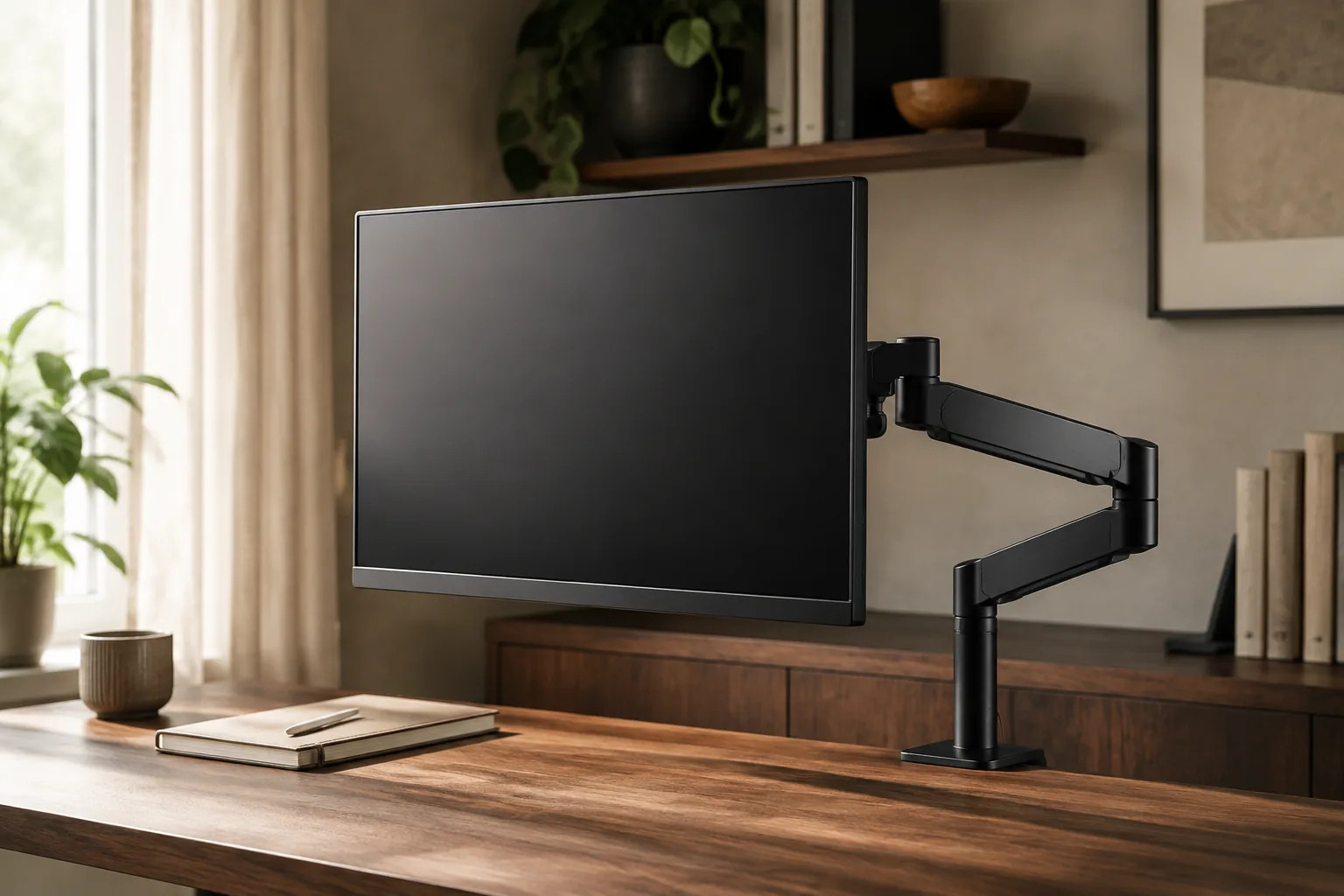
The best monitor arm is the one rated for your screen’s real weight and VESA pattern, clamped to a desk that can carry it. For two screens up to 32 inches, a full-motion dual gas-spring arm is the most useful place to start. For one screen, choose a single gas-spring arm with a clearly stated load range. Pick a triple mount only when three matching 27-inch-or-smaller screens and a deep, solid desk are already part of the plan.
Quick answer
Match the arm to the screen you already own.
A monitor arm should fix a real problem: a screen that sits too low, a stand base that eats desk depth, or two displays that never line up. Check fit first, then compare the three picks below.
Our starting point
VESA 75/100 · 2–10 kg per screen · clamp or grommet
Quick picks
- Best dual monitor arm: full-motion dual gas-spring arm, 13–32 in per screen, VESA 75 or 100, clamp or grommet base.
- Best single monitor arm: gas-spring arm for 13–32 in screens, the step-up for one display that you move often.
- Best for three screens: triple-monitor desk mount for 13–27 in screens, only after a per-arm load check.
The three monitor arms worth comparing first
Specs below are the claims stated on each listing when we reviewed it. They are not our own measurements. Listings often offer several variants, so confirm the exact version (spring, size, base) before ordering.
| Monitor arm | Best for | Listed fit | Check first |
|---|---|---|---|
| Full-motion dual gas-spring arm | Two screens side by side | 13–32 in per screen, VESA 75×75 / 100×100, 4.4–19.8 lb each, C-clamp or grommet | Desk thickness and both screens’ weight without stands |
| Gas-spring arm for 13–32 in screens | One screen you reposition often | 13–32 in, height-adjustable gas spring | Load range, VESA pattern and clamp option on the selected variant |
| Triple-monitor desk mount | Three matching screens | 13–27 in, up to 17 lb listed capacity | Whether 17 lb is per arm or for the whole mount |
1. Full-motion dual gas-spring arm: best dual monitor arm
This is the most practical pick for the most common upgrade: two screens up to 32 inches that you want level, at the same height and off the desk. The listing states a 13–32 in range per screen, VESA 75×75 and 100×100 support, a load of 4.4–19.8 lb (about 2–9 kg) per arm, and a choice of C-clamp or grommet mounting. That load window covers many 24- and 27-inch office monitors once their stands are removed. Some heavier 32-inch screens fall outside it, so weigh yours first.
Fit check: a dual arm puts both screens’ weight on one pole. Confirm that your desktop is thick and stiff enough for the clamp. A thin glass top or a hollow-core desk is a poor match.
Full-motion dual gas-spring monitor arm: 13–32 in per screen, VESA 75/100, clamp or grommet base (per listing).
2. Gas-spring arm for 13–32 in screens: best single monitor arm
For one display, a single gas-spring arm gives you the cleanest result. The base takes up a few square inches instead of a stand’s footprint, and the screen floats where you set it. This listing covers 13–32 in screens with gas-spring height adjustment. It is the higher-priced single arm in our shortlist, so treat it as the step-up for a screen you move often, such as between sitting and standing or between a call and focused work.
Fit check: the listing title does not settle every detail. Recheck the stated load range, the VESA pattern and the clamp or grommet option on the variant you select.
Gas-spring monitor arm for 13–32 in screens: single-screen, height-adjustable gas spring (per listing).
3. Triple-monitor desk mount: best for three screens
A purpose-built triple mount keeps three displays on one pole, so they share a height and curve around the chair. The listing states a 13–27 in screen range and up to 17 lb of capacity with swivel adjustment. That rules out large or heavy panels: plan on three light, matching 24- or 27-inch screens.
Fit check: the listing does not make clear whether 17 lb is per arm or for the whole mount. Confirm this before ordering. Three screens on one clamp also put real leverage on the desk edge, so test the desk for flex.
Triple-monitor desk mount for 13–27 in screens: three-screen mount, up to 17 lb listed capacity (per listing).
How to choose a monitor arm: 5 checks
1. Confirm VESA holes and the screen’s weight without its stand
Look at the back of the monitor for four screw holes in a square: 75×75 mm and 100×100 mm are the most common on desk monitors. No holes means you need an adapter, or a stand instead of an arm. Then weigh the screen without its stand. A kitchen or bathroom scale is fine. That number, not the screen size, decides which arm works.
2. Match the arm’s load range, with room to spare
Gas-spring arms balance a weight window. Too light a screen won’t stay down, and too heavy a screen will sink. Aim for a monitor that sits inside the stated range, not at its very edge. Curved and ultrawide panels are often heavier than their size suggests.
3. Check the desk: thickness, material and clearance
Read the clamp’s stated thickness range and measure your desktop where the clamp will go. Check for a rear frame rail, a cable tray or a wall that leaves no room behind the desk. Solid wood and thick laminate are the safest bases. Glass and thin particleboard are not.
4. Decide between clamp and grommet
A C-clamp grips the back edge and needs no drilling. A grommet mount passes through a hole in the desk and lets you place the arm away from the edge. That suits deep desks, or desks pushed against a wall where the clamp will not fit.
5. Plan the reach and the cables
Measure how far you want the screen from your eyes, usually about an arm’s length, and check that the arm can reach it without hanging off the side of a small desk. Then route the cables along the arm’s channels, with enough slack for full movement.
Which monitor arm fits your setup?
| Your setup | Pick | Why | Watch out for |
|---|---|---|---|
| Two 24–27 in office screens | Dual gas-spring arm | Same height, no stand bases, one clamp | Combined weight on one desk point |
| One screen, sit-stand or shared desk | Single gas-spring arm | Quick, smooth height changes | Load range for the selected spring |
| Three matching small screens | Triple mount | One pole, aligned row | Per-arm vs total capacity, desk depth |
| Ultrawide 34–49 in | None of these three | Needs a heavy-duty arm rated for the full size and weight | See the FAQ below |
Small desk? An arm frees the depth that a stand base uses, which often matters more on a shallow desk than extra width. Pair it with a keyboard tray if the keyboard still crowds the front edge.
Standing desk? The arm moves with the desktop, so you set the screen height once for each posture. A gas spring makes the small tweaks between sitting and standing quick. Route cables with slack so the desk can travel.
After installation: set the tension
Most “drooping” or “bouncing” arms are not faulty. They are just set for the wrong weight. Mount the screen, then adjust the spring until it stays put at any height. Our step-by-step guide covers it: how to adjust monitor arm tension. Then route the cables with our desk cable management guide so the new setup stays tidy.
Monitor arm mistakes worth avoiding
- Buying by screen size alone. Two 27-inch screens can differ a lot in weight. Weigh yours.
- Ignoring the desk. A strong arm on a hollow or glass desktop is a weak setup.
- Skipping the tension step. An unadjusted gas spring makes a good arm feel cheap.
- Mixing very different screens on one dual arm. Matched heights and weights are much easier to balance and align.
Monitor arm FAQ
What is the best monitor arm for most desks?
For one screen, a single gas-spring arm whose load range covers your monitor’s weight without its stand, and whose clamp fits your desk. For two screens up to 32 inches, a full-motion dual gas-spring arm is the more useful buy. In both cases, VESA holes and weight decide the fit, not the screen size.
What is the best dual monitor arm?
Choose a dual arm whose per-screen load and size range cover both monitors, with a base suited to your desk (clamp or grommet). The dual pick in this guide lists 13–32 in per screen, VESA 75/100 and 4.4–19.8 lb per arm. Two similar screens are easiest to align.
Does every monitor fit a monitor arm?
No. The monitor needs VESA mounting holes, usually 75×75 or 100×100 mm, and its weight must sit inside the arm’s load range. Screens without holes need a third-party adapter, and some curved models need a specific bracket.
Is a gas-spring monitor arm better than a mechanical one?
A gas spring makes height changes smoother and is easier to reposition during the day, which suits sit-stand desks. It is not automatically stronger. It has to be tensioned for the screen’s real weight, and the clamp and desk still decide stability.
What is the best monitor arm for an ultrawide?
Use a heavy-duty arm rated for the ultrawide’s full size and weight, which is often higher than for a 27-inch screen. None of the three picks here is listed for screens above 32 inches, so a 34–49 in ultrawide needs a different arm. Check VESA, clamp footprint and desk stiffness.
Can one desk mount hold three monitors?
Yes, if the screens are within the mount’s size and weight limits and the desk can take the leverage. Confirm whether the stated capacity applies per arm or to the whole mount, and test the desk for flex before adding the third screen.
The bottom line
Weigh the screen, find its VESA holes and measure the desk before anything else. For two screens, start with the dual gas-spring arm. For one screen you move often, choose the single gas-spring arm. Take the triple mount only when three light, matching screens and a solid desk are already in place. Keep building the desk with our guides to monitor light bars, monitor stands and risers and USB-C hubs.
The practical starting point
Measure the screen. Then choose the arm.
Measure first, then compare the three picks above. Confirm the exact variant and the listed size or fit details before you order; prices and availability are set by the retailer and can change.
Return to the picks