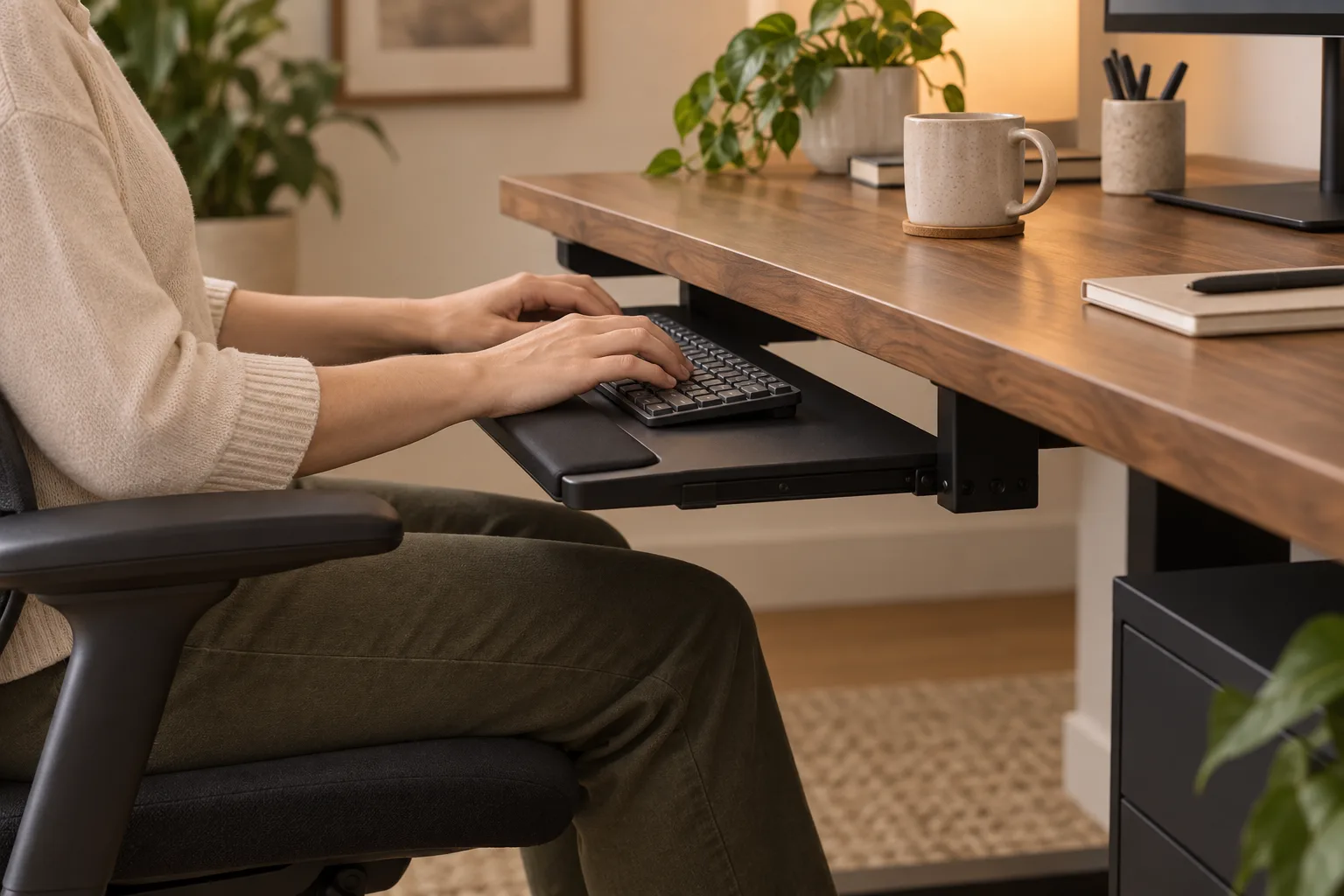
The best ergonomic keyboard tray is the one that lets your keyboard and pointing device sit at a workable height and distance, stays stable during normal use and fits beneath the desk without stealing legroom. Measure the desk underside, keyboard, mouse zone, chair and your preferred working position before comparing slide-out, fixed or clamp-mounted designs.
Quick answer
Measure the hands, then choose the tray.
The best ergonomic keyboard tray is the one that lets your keyboard and pointing device sit at a workable height and distance, stays stable during normal use and fits beneath the desk without stealing legroom. Measure the desk underside, keyboard, mouse zone, chair and your preferred working position before comparing slide-out, fixed or clamp-mounted designs.
Start with
fit · stability · daily use
Start with the desk and the working zone
A keyboard tray changes the location of the things your hands touch. It does not change the height of the monitor, the depth of the desk or the shape of your chair. Before shopping, measure the desk width, underside depth, front edge thickness and the clear space between the desktop and your legs. Then measure the keyboard, wrist rest, mouse and any controller that needs to stay in reach.
Write down the lowest and highest position that would make sense for your routine. A tray that is wide enough for a keyboard but leaves the mouse on the desktop may create two separate hand zones. A tray that reaches too far into the chair space can make a desk feel cramped even when its adjustment range looks impressive in a photograph.
Measure the actual keyboard and mouse together. A tray is part of the desk geometry, so a product label cannot tell you whether the complete input zone will clear your knees.
| Measure | Record | Why it matters |
|---|---|---|
| Keyboard and mouse zone | Combined width, depth and wrist-rest overhang. | Determines the usable tray surface, not just the keyboard fit. |
| Desk underside | Front edge, mounting depth, supports and drawers. | Decides whether a tray can mount and slide without collision. |
| Chair and legs | Clear knee space at the tray’s lowest position. | A tray that blocks the chair is not an ergonomic improvement for the whole setup. |
| Monitor and cable path | Existing height, cable slack and route to the computer. | Movement is only useful when cables do not pull or snag. |
Choose a position you can repeat
Use the tray to create a consistent input position, then test it with the chair and screen you use most. The keyboard should not be so far away that you lean toward it, and the tray should not force the elbows into a fixed angle that feels crowded. A small height change can affect the relationship between the hands, shoulders, screen and chair, so judge the complete setup rather than the tray in isolation.
Tilt is a preference and a fit variable, not a guarantee of comfort. Some people like a flat surface; others want a small adjustment for the keyboard or a change between sitting and standing. Look for a mechanism that stays put when you type. A loose tilt hinge can be more distracting than a fixed tray with the right height.
If you alternate between sitting and standing, check the tray’s full travel and whether its mount can keep the surface level. A tray designed only for a seated desk may not suit a sit-stand frame or a worktop that moves. Keep the monitor and input position in the same decision: moving one without the other can simply shift the mismatch.
Compare the common keyboard tray types
There is no single best ergonomic keyboard tray for every desk. The useful distinction is how the tray mounts and how often you need it to move.
- Under-desk slide-out: keeps the tray hidden when you need the desktop, but requires compatible underside depth and a slide that can carry the complete input zone.
- Fixed under-desk tray: can feel stable and simple, yet gives you less flexibility when the chair, user or desk height changes.
- Clamp-mounted tray: can avoid drilling, but verify the desk edge, clamp pressure, underside clearance and whether the mount interferes with drawers or cable trays.
- Platform with a separate mouse wing: may fit a compact keyboard, but check the angle, width and whether the mouse remains at the same usable height.
Product names often hide the difference between the platform size and the total footprint of the rails or brackets. Look for a dimension drawing, the weight limit stated by the maker and the exact mounting hardware. Do not infer strength from a thick-looking photograph.
Check the mount, clearance and movement
Mounting surface
Confirm that the desk underside can accept the mounting pattern and that the screws will not meet a drawer, cable channel or delicate panel. A thin desktop may need a different approach from a solid worktop. If the instructions require a certain material, thickness or tool, treat that as part of the product fit.
Travel and collision
Slide the tray through its full path before loading it. Check the chair arms, knees, desk legs, drawers and any under-desk computer. The front edge should not become a hard obstacle when the tray is extended. On a sit-stand desk, check the cables in both the seated and raised positions.
Stability and service
Type with your normal pressure and move the mouse across its full zone. A little movement may be normal for a sliding mechanism, but clicking, twisting or a rail that binds is a warning. Read the mounting and maintenance notes; a mechanism that cannot be tightened or cleaned easily can turn into a daily annoyance.
Keep the tray lightly loaded. A heavy wrist rest, audio controller and notebook can change the leverage on the mount even when the keyboard itself is within the stated limit. If the manufacturer does not explain the limit or the hardware, mark the detail as unconfirmed.
The keyboard tray checklist
Before you compare models, put the answers in one note:
- What are the keyboard, mouse and wrist-rest dimensions together?
- How much desk underside depth and front-edge clearance do you have?
- Will the tray leave enough knee and chair space when it is in use?
- Do you need a slide, a height adjustment, tilt, a clamp or simply a stable fixed platform?
- Can the mount carry the complete load and be installed without colliding with a drawer or cable route?
- Will the position still work when you alternate tasks, users or sitting and standing?
For a small desk, a compact tray can return surface area when you are not typing, but the reduced mouse zone may be the trade-off. For a deep desk, a full platform can keep the input devices together, but it may require more clearance. If you already have a good desktop height and enough room, the best choice may be no tray at all.
Reference points
- How to set up a home office — measure the complete desk routine.
- How to clean a desk mat — keep the working surface practical after the fit is right.
- DeskSetup Lab method — compare fit, construction and daily use before a headline.
Ergonomic keyboard tray FAQ
What makes a keyboard tray ergonomic?
A useful tray lets your keyboard and pointing device sit in a stable, repeatable position that fits the desk, chair and user. The label alone does not prove a fit; measure the complete input zone and available legroom.
Should a keyboard tray hold the mouse too?
Usually compare the keyboard and mouse together because splitting them across two heights can change how you reach. A separate mouse wing can work when its width, stability and travel match the way you actually use it.
Is a sliding keyboard tray better than a fixed one?
Neither is automatically better. A slide can return desktop space, while a fixed tray can feel simpler and more stable. Choose the movement and mounting depth that fit your desk and routine.
Can I install a keyboard tray on any desk?
No. Check the underside material, thickness, mounting pattern, drawers, legs and cable channels against the installation instructions. Clamp designs still need a compatible edge and enough clearance.
Can a keyboard tray fix an uncomfortable desk setup?
It may change the input position, but it cannot solve every desk, chair or screen mismatch. Test the complete arrangement and stop if the tray crowds your legs, pulls cables or makes you lean toward the display.