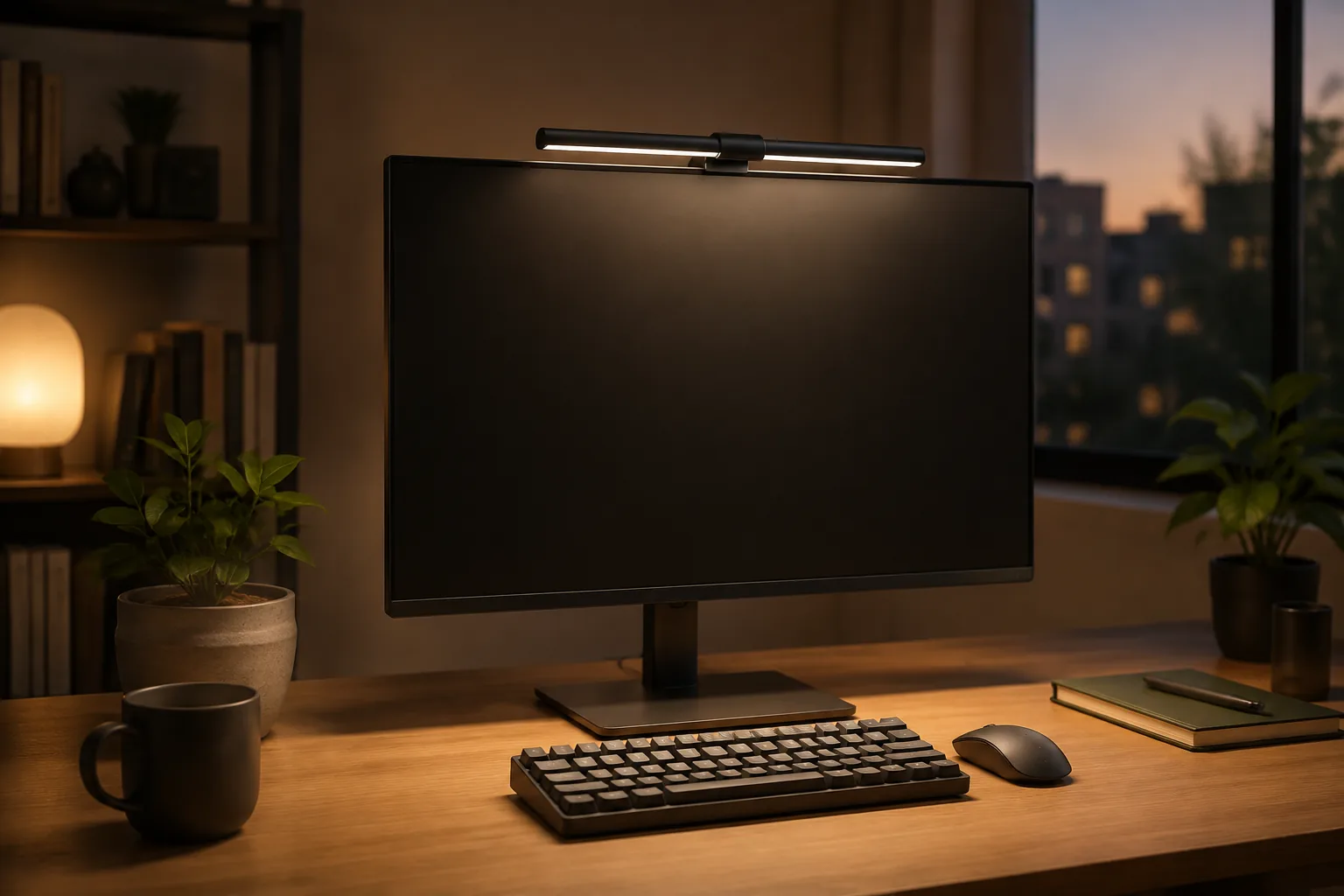
The best monitor light bar is the one that clamps securely on your screen, throws light down onto the desk instead of into the panel, and dims far enough for evening work. For most flat 24- to 32-inch monitors, a USB-powered bar with stepless dimming and an adjustable angle is enough. If glare on a glossy screen is your main problem, also look for a bar sold with asymmetric optics, which aim the light down and away from the panel. Neither pick below claims that.
Quick answer
Start with fit, beam control and simple power.
A monitor light bar (also called a screen bar) sits on top of the display and lights the keyboard and notes below. It takes no desk space, and on a small desk it can replace a lamp entirely. It can also cause new problems: light reflecting in a glossy screen, a clamp that hits the webcam, a USB cable across the desk. Check fit first.
Our starting point
USB power · downward beam · adjustable brightness
Quick picks
- Best budget monitor light bar: RGB dimmable USB light bar, the cheapest way to try the format.
- Best for simple everyday use: USB touch-control light bar, dimming on the bar with no remote to lose.
The two monitor light bars worth comparing first
The features below are what each listing states. They are not our measurements. Most listings come in several lengths and versions, so check the exact one you select.
| Light bar | Best for | Listed features | Check first |
|---|---|---|---|
| RGB dimmable USB light bar | Trying a screen bar on a budget | USB power, stepless dimming, color-changing RGB | Clamp fit, beam angle, selected length |
| USB touch-control light bar | One flat office monitor | USB power, dimmable, touch control | Clamp clearance at the top of the screen |
1. RGB dimmable USB light bar: best budget pick
If you have never used a screen bar, start here. The listing names USB plug-in power, stepless dimming and color-changing RGB. It is a low-risk way to see whether lighting from the top of the monitor works for your desk before spending more. Treat RGB as a bonus for evenings; for work, a neutral white mode matters more.
Fit check: confirm the front clip and the length options, and that the beam can tilt down toward the keyboard.
RGB dimmable USB monitor light bar: USB power, stepless dimming, RGB (per listing).
2. USB touch-control light bar: best for everyday office use
For a regular home-office screen, simple wins. The listing describes a USB-powered, dimmable bar with touch controls on the bar itself. You adjust it in one reach, with no remote to misplace and no app. It suits a fixed desk where you set the light once and dim it as the day goes on.
Fit check: measure the screen at the top edge, including any bulge at the back, and confirm the clamp leaves room for a webcam.
USB touch-control monitor light bar: USB-powered, dimmable, on-bar touch control (per listing).
How to choose a monitor light bar: 5 checks
1. Measure screen thickness and clamp clearance
Measure the monitor at its top edge, where the rear counterweight will rest. Housing depth often differs from panel thickness. Leave room for a webcam or privacy shutter. Some bars block a clip-on camera, while others let it sit on top.
2. Aim the beam away from the panel
The bar should light the keyboard and desk without a bright source in your line of sight. An adjustable head helps, and an asymmetric beam helps more. No design guarantees zero reflection on every glossy screen, so test the angle from your normal seat.
3. Compare color temperature, not just “white light”
Look for a stated warm-to-cool range, or at least separate warm, neutral and cool modes. Warm light suits evenings. Cooler light helps with paper and fine detail.
4. Check brightness range and control placement
Stepless dimming gives more usable settings than two presets. Touch controls keep the desk clean. A remote helps when the bar sits behind a tall monitor. If there is a timer, check what it switches off.
5. Plan the USB power
Check whether the bar uses USB-A or USB-C and whether the cable is fixed. A monitor’s USB port is tidy, but some don’t stay powered when the screen sleeps. A USB-C hub or a desk clamp power strip can be a steadier source.
Which light bar fits your desk?
| Desk situation | Pick | Why |
|---|---|---|
| Flat monitor, daytime office work | Touch-control bar | Simple controls, set once |
| First screen bar, tight budget | RGB dimmable bar | Cheapest way to test the format |
| Glossy screen or dark room | Either bar, angled carefully | Neither pick claims asymmetric optics; if glare persists, look for that feature |
| Curved or ultrawide screen | Measure first | Neither pick is listed specifically for curved screens |
| Two monitors | One bar per screen, or one on the main screen | Most bars are sized for a single display |
Video calls: a light bar lights your desk, not your face. For calls, add soft front light. See our guide to video call lighting.
Light bar or desk lamp? A bar saves surface space and gives even light under the screen. A lamp is better for reading paper away from the monitor. Compare both in our desk lamp guide.
Monitor light bar mistakes worth avoiding
- Buying by length alone. Light direction and mounting position matter more than an extra few inches.
- Assuming every curved screen fits. Curve radius and rear housing vary. Measure the center depth.
- Using RGB as task light. Colored modes are fine for atmosphere but poor for reading and typing.
- Ignoring the cable route. A dangling USB lead undoes the clean look the bar was meant to create.
Monitor light bar FAQ
What is the best monitor light bar for most desks?
For most flat monitors, a USB-powered bar that fits the screen’s top edge, leaves room for a webcam, tilts toward the desk and offers stepless dimming. Touch controls are the simplest. An asymmetric beam is worth paying for only if glare is a problem.
Are monitor light bars worth it?
Yes, on desks where a lamp would take up space or cast shadows over the keyboard. A bar lights the area under the screen evenly with no footprint. It is less useful for reading paper documents far from the monitor.
Do monitor light bars cause screen glare?
They can if the beam spills onto the panel, especially a glossy one. An adjustable head or an asymmetric design aims light down and forward, which reduces reflections. Always check from your normal sitting position.
Will a monitor light bar work on a curved monitor?
Sometimes. It depends on the curve, the top depth and the rear clearance. Neither of the two picks here is listed specifically for curved screens, so measure the center depth and confirm the clamp dimensions before buying.
Can a monitor light bar block my webcam?
It can if both sit at the top center. Check whether the bar’s design leaves space for a camera on top, or move the webcam to a separate clip or tripod.
Can I power a monitor light bar from the monitor's USB port?
Often, yes, but some monitor ports switch off when the screen sleeps or supply limited power. If the bar flickers or turns off, use a hub, a USB charger or a power strip with USB.
The bottom line
Start with fit: clamp, webcam and beam angle. For everyday office work, the touch-control bar is the easy choice. Try the RGB bar if budget matters most. If glare on a glossy screen is the real problem, look for a bar sold with asymmetric optics, and test any bar’s angle from your seat. Next, see our guides to monitor arms and monitor stands.
The practical starting point
Fit the bar first. Then tune the light.
Measure first, then compare the two picks above. Confirm the exact variant and the listed size or fit details before you order; prices and availability are set by the retailer and can change.
Return to the picks