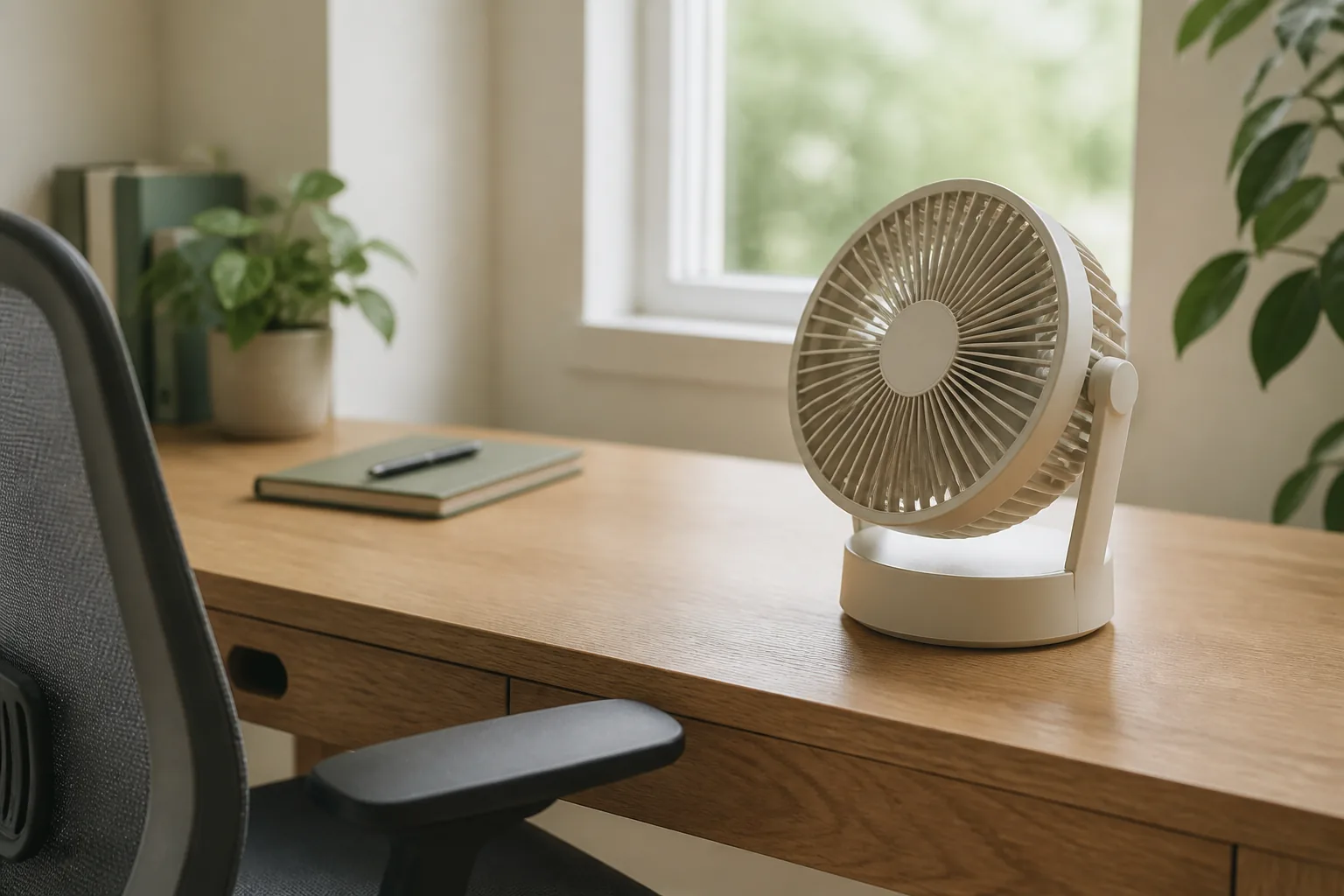
The best desk fan for an office is a small one that you can aim at your seat, that sits on the desk without crowding the keyboard, and that stays quiet on its lowest setting. If the fan will stay next to your computer, a USB-powered fan is the simplest choice. If it moves between rooms or works away from an outlet, choose a rechargeable fan. Choose an oscillating fan only when air needs to cover more than one spot.
Quick answer
Start with airflow you can aim, at the footprint you can keep.
A personal desk fan isn’t meant to cool a room. It moves air across one person at close range, so direction, footprint and noise matter more than headline power.
Our starting point
USB power · adjustable direction · compact base
Quick picks
- Best USB desk fan: TOPK three-speed USB fan, a small footprint and a head that rotates 360° per the listing.
- Best rechargeable desk fan: three-speed USB rechargeable fan with a brushless motor, easy to move between rooms.
- Best for wider airflow: 3600mAh oscillating USB fan, four speeds and a sweep for a bigger area.
The three desk fans worth comparing first
The features below are what each listing states. They are not our measurements. “Quiet” and battery claims come from the sellers. Confirm the exact variant (size, battery, color) before ordering.
| Desk fan | Best for | Listed features | Check first |
|---|---|---|---|
| TOPK three-speed USB fan | Laptop-first desk near a USB port | USB power, 3 speeds, 360° rotatable head | Power source and selected size |
| Three-speed rechargeable fan | Moving between rooms | USB rechargeable, 3 speeds, adjustable rotation, brushless motor | Battery details, noise wording |
| 3600mAh oscillating fan | Wider airflow, longer unplugged use | 3600mAh battery, 4 speeds, oscillation | Battery and oscillation variant |
1. TOPK three-speed USB desk fan: best USB desk fan
For a fixed desk next to a laptop or monitor with a spare USB port, a simple USB fan is enough. The listing states USB power, three speed settings and a head that rotates 360°. A compact base leaves the keyboard area free, and a rotating head lets you point the air at your face or neck, not your papers.
Fit check: confirm whether the selected size is USB-only or also has a battery, and that your USB port or charger can power it.
TOPK three-speed USB desk fan: USB power, three speeds, 360° rotatable head (per listing).
2. Three-speed USB rechargeable fan: best rechargeable desk fan
A rechargeable fan follows you from the desk to the couch or a meeting room without a cable. The listing describes USB charging, three speeds, adjustable rotation and a brushless motor. Brushless motors are commonly chosen for smoother, quieter running, but the listing’s noise wording is the seller’s claim, not a measurement.
Fit check: confirm the battery capacity and charging connector of the variant, and test the lowest speed on your first call.
Three-speed USB rechargeable desk fan: USB rechargeable, three speeds, brushless motor (per listing).
3. 3600mAh oscillating USB fan: best for wider airflow
If a fixed stream of air feels too direct, or you share a corner desk, an oscillating fan spreads the air out. The listing title states a 3600mAh battery, four speed settings, an adjustable design and USB-powered oscillation. That’s the most flexible spec set of the three on paper, with a larger battery for longer unplugged use.
Fit check: confirm that the variant you choose includes both the 3600mAh battery and oscillation, as listings sometimes split these across versions.
3600mAh oscillating USB desk fan: 3600mAh battery, four speeds, oscillation (per listing).
How to choose a desk fan: 5 checks
1. Treat noise claims as a starting point
Few small-fan listings publish a comparable decibel figure, and seller numbers rarely share test conditions. What you can control is the setup: run the fan on its lowest useful speed, keep it on a stable surface and point it away from your microphone.
2. Direction beats raw speed
A fan you can tilt or rotate puts air where you sit at a low, quiet speed. A strong fan pointed slightly wrong ends up on high, and on high it is loud.
3. Measure the space you can spare
Find the spot first, beside the monitor, at the back corner or on a shelf, then check the fan’s base against it. On a crowded desk, a monitor stand or riser can free a corner.
4. Choose the power source by where the fan lives
USB suits a fan that stays at the computer. Use a wall charger, a USB-C hub or a power strip with USB if the laptop’s ports are taken. Choose rechargeable if the fan moves, and check the stated battery and charging connector.
5. Decide on oscillation
Oscillation covers a wider area but adds movement and can sweep air across the microphone. For focused work, a fixed, well-aimed stream is often more comfortable.
Which desk fan fits your setup?
| Setup | Pick | Why |
|---|---|---|
| Fixed laptop or home-office desk | TOPK USB fan | Simple, compact, always powered |
| Desk, couch and kitchen table | Rechargeable brushless fan | No cable, moves with you |
| Corner desk or warm afternoon room | 3600mAh oscillating fan | Wider sweep, bigger battery |
| Call-heavy workday | Any of the three on low, aimed off-mic | Placement matters more than model |
Calls: place the fan to one side, aimed at your neck or chest rather than straight at your face, and away from the mic. Run a short test recording before an important call. For a calmer overall setup, see our quiet desk guide.
Desk fan mistakes worth avoiding
- Pointing it straight at the microphone. Even a quiet fan can cause wind noise on calls.
- Buying for room cooling. A desk fan cools one person at close range. It won’t cool the room.
- Ignoring the port. Some laptop or monitor ports supply too little power, or switch off on sleep.
- Leaving it on the edge. A light fan on a desk edge gets knocked over. Give it a stable spot.
Desk fan FAQ
What is the best desk fan for an office?
A compact fan with more than one speed, a head you can aim and a stable base. Choose USB power when it stays at the computer, rechargeable when it moves, and oscillation only when air needs to cover a wider area.
What makes a desk fan quiet enough for calls?
A low speed setting, a stable base and placement out of the microphone’s direct path. Treat quiet or silent claims as seller wording and check them with a short test recording.
Is a USB desk fan better than a rechargeable one?
Neither is better in general. USB is simplest for a fan that stays at the computer. A rechargeable fan is easier to move and works away from outlets. Check the battery and charging connector of the selected variant.
Where should I put a desk fan?
To one side of the monitor, a little behind the front edge of the desk, aimed at your neck or upper body. Keep it away from loose papers and out of the microphone’s line.
Should a desk fan oscillate during video calls?
Usually not. Oscillation can move air across the microphone and add motion noise. A fixed, carefully aimed low setting is easier to manage on calls.
Can I run a USB desk fan from my laptop?
Often, yes, but it uses a port and some battery. If the fan stutters or the port is needed, power it from a USB wall charger, a hub or a power strip with USB.
The bottom line
Decide where the fan will sit and what will power it, then choose. Pick the TOPK USB fan for a fixed desk, the rechargeable brushless fan for a desk that changes rooms, and the 3600mAh oscillating fan for wider airflow. Keep building a comfortable desk with our monitor light bar and laptop stand guides.
The practical starting point
Pick the airflow you can live with.
Measure first, then compare the three picks above. Confirm the exact variant and the listed size or fit details before you order; prices and availability are set by the retailer and can change.
Return to the picks