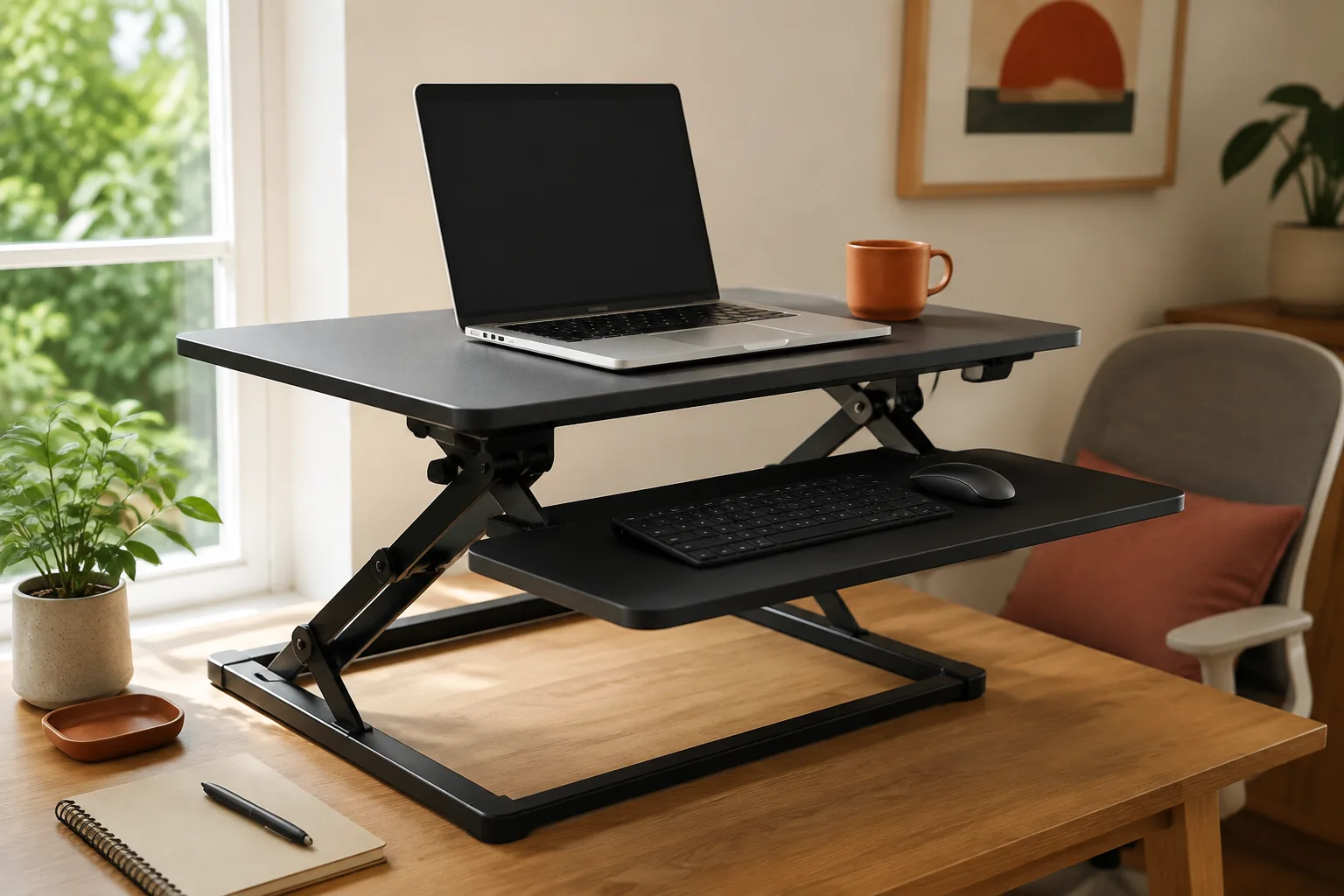
The best standing desk converter is the one that lifts your monitor, keyboard and mouse together, fits the desk you already own and stays steady at your standing height. For a two-screen setup, a 36-inch Z-shaped gas-lift converter is the most practical place to start. For a permanent workstation where you change position often, a 42-inch motorized converter with a keyboard tray is worth the extra cost. A 38-inch gas-spring dual-monitor model is the premium option, but the listing doesn’t publish a load rating.
Quick answer
Choose the footprint before the mechanism.
All three picks here are wide converters, 36 to 42 inches. That suits most home-office desks with a monitor, keyboard and mouse. On a very small desk, measure carefully first (see the fit checks below).
Our starting point
Medium width · stable lift · usable keyboard space
Quick picks
- Best overall for two screens: 36-inch Z-shaped converter, a wide keyboard tray and dual gas lift.
- Best motorized: 42-inch converter with a quick-release keyboard tray, push-button height for a fixed workstation.
- Premium wide platform: 38-inch gas-spring dual-monitor converter, once the load rating is confirmed.
The three standing desk converters worth comparing first
The details below are what each listing states. They are not our measurements. Confirm the platform dimensions, height range and load on the exact variant you choose.
| Converter | Best for | Listed details | Check first |
|---|---|---|---|
| 36-inch Z-shaped | Two screens on a regular desk | 36 in Z-frame, wide keyboard tray, dual-monitor fit, dual gas lift | Desk depth for the Z-lift footprint |
| 42-inch motorized | Permanent workstation, frequent changes | 42 in, motorized height, quick-release keyboard tray | Power details, desk width |
| 38-inch gas-spring dual-monitor | Heavier-use wide setup | 38 in, gas-spring lift, dual-monitor layout | Load rating (not published in the listing snapshot) |
1. 36-inch Z-shaped converter: best for two screens
A Z-shaped lift rises mostly straight up, so it doesn’t swing far toward you, which matters on a desk against a wall. The listing describes a 36-inch frame with a wide keyboard tray, room for two monitors and a dual gas lift. A separate, lower keyboard tray keeps your hands below the screens, which is closer to a natural standing posture than one flat surface.
Fit check: measure your desk depth against the base, and make sure both monitor bases (or a dual monitor arm) fit the 36-inch top.
36-inch Z-shaped standing desk converter: wide keyboard tray, dual gas lift (per listing).
2. 42-inch motorized converter with keyboard tray: best motorized
If you plan to switch between sitting and standing several times a day, a motor removes the effort and the hesitation. The listing describes a 42-inch height-adjustable motorized riser with a quick-release keyboard tray. It is aimed at a larger, permanent workstation, not a setup you move around.
Fit check: it needs a power outlet and a desk at least 42 inches wide. Confirm the power details, the height range and the load before ordering.
42-inch motorized desk converter with keyboard tray: motorized lift, quick-release keyboard tray (per listing).
3. 38-inch gas-spring dual-monitor converter: premium wide platform
The listing describes a 38-inch desktop workstation with a gas-spring lift and a dual-monitor layout. It is the highest-priced option in our shortlist and suits heavier daily use. The listing snapshot we reviewed does not publish a load rating, though, so it is a conditional pick.
Fit check: get the supported load from the seller and compare it with your monitors, laptop and accessories combined before relying on it.
38-inch gas-spring dual-monitor desk converter: gas-spring lift, dual-monitor layout (per listing).
How to choose a standing desk converter: 5 checks
1. Measure your standing height range
Stand relaxed with your elbows at about 90°. The keyboard surface should be near elbow height. Measure from your desktop to that point. The converter’s keyboard level, not its top platform, must reach that number.
2. Treat platform depth as an ergonomic spec
You need room for the monitor at about an arm’s length plus the keyboard and mouse. A converter with a separate, lower keyboard tray solves the depth problem better than one shallow flat top.
3. Check stability at full height
Wobble shows at standing height, when you type. Look for a solid base and a lift that doesn’t sway. Check your desk too: a converter amplifies any wobble in the desk under it. Our wobbly desk checklist helps.
4. Match load to everything on the platform
Add up the monitors, laptop, dock and accessories, then compare the total with the stated load. If a listing doesn’t state one, ask before buying.
5. Decide between gas spring and motor
Gas springs are quick and need no power, but you have to set the tension. Motors cost more and need an outlet, and they make frequent changes effortless. If you only stand once a day, a gas spring is usually enough.
Which converter fits your setup?
| Setup | Pick | Why |
|---|---|---|
| Two monitors on a regular home-office desk | 36-inch Z-shaped | Straight lift, separate keyboard tray |
| Fixed workstation, many position changes | 42-inch motorized | Push-button height |
| Wide, heavier-use dual-monitor setup | 38-inch gas-spring | Larger platform, if the load is confirmed |
| Very small desk or dorm | Measure first | All three picks here are 36–42 in wide |
Standing comfort: standing all day is no better than sitting all day. Change position through the day, and add an anti-fatigue mat for the standing stretches. If wrist comfort is the reason you’re changing your setup, see our carpal tunnel desk guide.
Standing desk converter mistakes worth avoiding
- Measuring only the top height. The keyboard level is what must reach your elbows.
- Ignoring the desk under it. A wobbly desk makes any converter wobble.
- Overloading a wide top. Two monitors plus a laptop adds up. Confirm the load rating.
- Forgetting cable slack. Every cable must reach the platform’s full height without pulling.
Standing desk converter FAQ
What is the best standing desk converter for most people?
One that is wide enough for your monitors, has a separate keyboard tray at elbow height, reaches your standing height and stays steady. For a two-screen home office, a 36-inch Z-lift gas converter is a practical starting point.
What is the best standing desk converter for a small desk?
Measure width and depth first. The three picks here are 36–42 inches wide, which suits most standard desks but not very small ones. If yours is narrower, look for a compact converter whose keyboard surface still reaches elbow height.
Can a standing desk converter hold two monitors?
Wide models can, but check the usable platform width, both monitor bases or a dual arm, and the total load. The 36-inch, 38-inch and 42-inch picks here are all wide; confirm the load for the selected variant.
Is a motorized standing desk converter worth it?
It is if you switch positions several times a day and the converter stays in one place. A motor makes changes effortless, but it costs more, needs an outlet and is heavier to move.
Should my monitor be higher when standing?
Keep the same relationship as when sitting: the top of the screen around eye level and your elbows at about 90° at the keyboard. A converter with a separate keyboard tray makes both possible.
Is a standing desk converter the same as a monitor riser?
No. A riser lifts only the screen a few inches. A converter raises the screen, keyboard and mouse together, high enough to work standing.
The bottom line
Measure your standing elbow height, desk width and desk depth, then choose. The 36-inch Z-shaped converter is the default for two screens. The 42-inch motorized model is for a permanent, often-adjusted workstation. The 38-inch gas-spring option is the premium choice, once its load rating is confirmed. To lift only the screen, see our monitor stand and riser guide.
The practical starting point
Pick the footprint. Then check the listing.
Measure first, then compare the three picks above. Confirm the exact variant and the listed size or fit details before you order; prices and availability are set by the retailer and can change.
Return to the picks